
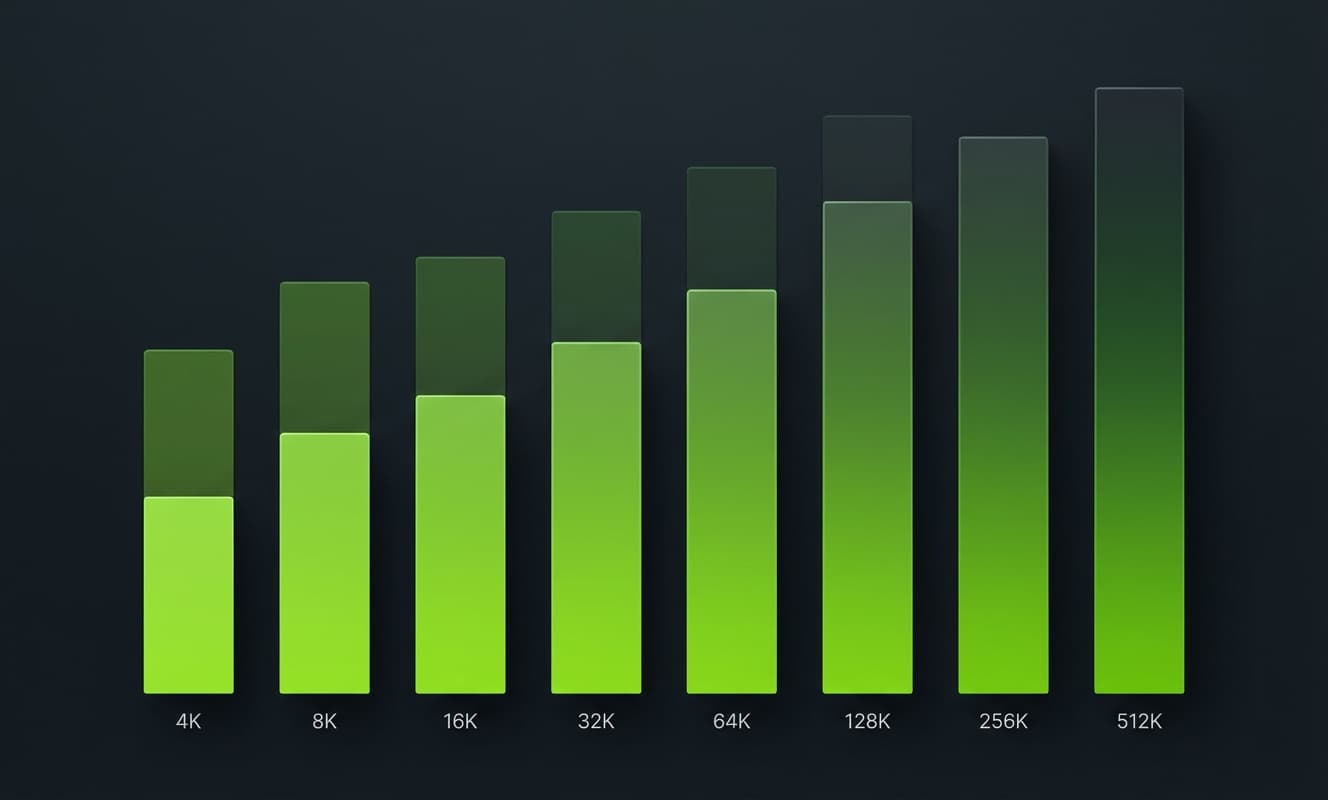
Thirteen models now ship context windows of 1 million tokens or more. The advertised number stopped separating them. What still does: filling the same 1M window costs $0.14 on DeepSeek V4 Flash and $10.00 on Claude Fable 5, output caps range from 64K to 384K, and effective context falls short of advertised on every model ever benchmarked. All 20 models, all numbers, as of June 9, 2026.
LLM Context Window Comparison Table (June 2026)
Every major model, sorted by context window. Pricing is per million tokens at standard API rates. Where a provider tiers pricing by request length, the base rate is listed first and the long-context rate after the slash; the threshold is in the tiers section below.
| Model | Provider | Context | Max Output | Input $/M | Output $/M |
|---|---|---|---|---|---|
| Llama 4 Scout | Meta | 10M | - | Free (open weights) | Free (open weights) |
| Claude Fable 5 (currently suspended, see note) | Anthropic | 1M | 128K | $10.00 | $50.00 |
| Claude Opus 4.8 | Anthropic | 1M | 128K | $5.00 | $25.00 |
| Claude Opus 4.7 | Anthropic | 1M | 128K | $5.00 | $25.00 |
| Claude Opus 4.6 | Anthropic | 1M | 128K | $5.00 | $25.00 |
| Claude Sonnet 4.6 | Anthropic | 1M | 64K | $3.00 | $15.00 |
| GPT-5.5 | OpenAI | 1M | 128K | $5.00 | $30.00 |
| GPT-5.4 | OpenAI | 1M | 128K | $2.50 | $15.00 |
| Gemini 3.1 Pro | 1,048,576 | 65,536 | $2.00 / $4.00 | $12.00 / $18.00 | |
| DeepSeek V4 Pro | DeepSeek | 1M | 384K | $0.435 | $0.87 |
| DeepSeek V4 Flash | DeepSeek | 1M | 384K | $0.14 | $0.28 |
| MiniMax M3 | MiniMax | 1M | - | $0.30 / $0.60 | $1.20 / $2.40 |
| Qwen3.5-Plus | Alibaba | 1M | - | $0.40 / $0.50 | $2.40 / $3.00 |
| GPT-5.4-mini | OpenAI | 400K | 128K | $0.75 | $4.50 |
| GPT-5.2-Codex | OpenAI | 400K | - | $1.75 | $14.00 |
| Kimi K2.6 | Moonshot | 262,144 | - | $0.95 | $4.00 |
| Kimi K2.5 | Moonshot | 262,144 | - | $0.60 | $3.00 |
| Claude Haiku 4.5 | Anthropic | 200K | 64K | $1.00 | $5.00 |
| Claude Sonnet 4.5 | Anthropic | 200K | 64K | $3.00 | $15.00 |
| Claude Opus 4.5 | Anthropic | 200K | 64K | $5.00 | $25.00 |
Rates are official provider API prices as of June 9, 2026 (Anthropic, OpenAI, Google AI, DeepSeek, MiniMax, Alibaba Cloud Model Studio, Moonshot). DeepSeek input prices are cache-miss rates; cache hits drop to $0.0028/M (Flash) and $0.003625/M (Pro). MiniMax M3 rates reflect MiniMax's permanent 50% discount. Qwen3.5-Plus rates are the Singapore/international Model Studio tier. Llama 4 Scout requires self-hosting or third-party inference. GPT-5.2-Codex has been superseded by gpt-5.3-codex at identical pricing ($1.75/M in, $14.00/M out). "-" means the provider does not publish a separate output cap.
What One Full-Window Request Costs
Per-token rates hide the number that matters for long-context work: the price of actually filling the window once. Here is the input cost of a single 1M-token request on every 1M-class model, using the long-context tier where one applies.
| Model | First send (cache miss) | Repeat send (cached prefix) |
|---|---|---|
| DeepSeek V4 Flash | $0.14 | $0.0028 |
| DeepSeek V4 Pro | $0.44 | $0.0036 |
| Qwen3.5-Plus | $0.50 | - |
| MiniMax M3 | $0.60 | $0.12 (cache read) |
| GPT-5.4 | $2.50 | $0.25 |
| Claude Sonnet 4.6 | $3.00 | $0.30 |
| Gemini 3.1 Pro | $4.00 | $0.20 + storage |
| GPT-5.5 | $5.00 | $0.50 |
| Claude Opus 4.8 | $5.00 | $0.50 |
| Claude Fable 5 (currently suspended, see note) | $10.00 | $1.00 |
The spread is 71x between DeepSeek V4 Flash and Claude Fable 5 for identical input. Cached rates assume the provider's standard cache-read pricing: Anthropic reads at 0.1x base input, OpenAI publishes explicit cached-input rates, DeepSeek cache hits are $0.0028/M on Flash, and Gemini context caching costs $0.20/M plus $4.50 per 1M tokens per hour of storage. Anthropic cache writes cost extra on the first send ($12.50/M for a 5-minute TTL on Fable 5).
One more variable affects Claude comparisons: Opus 4.7 and later, including Fable 5, use a new tokenizer that can produce up to 35% more tokens for the same text than pre-4.7 models. The same repository consumes more of the window and more of your budget.
Long-Context Pricing Tiers by Provider
The biggest pricing change of 2026: Anthropic dropped its long-context surcharge. Earlier Claude generations charged 2x input above 200K tokens. Current models do not. Google, MiniMax, and Alibaba still tier.
| Provider | Threshold | Below threshold (in/out $/M) | Above threshold (in/out $/M) |
|---|---|---|---|
| Anthropic (Fable 5 (suspended), Opus 4.8-4.6, Sonnet 4.6) | None | Standard rate | Same rate to 1M |
| OpenAI (GPT-5.5, GPT-5.4) | None | Standard rate | Same rate to 1M |
| Google (Gemini 3.1 Pro) | 200K tokens | $2.00 / $12.00 | $4.00 / $18.00 |
| Alibaba (Qwen3.5-Plus) | 256K tokens | $0.40 / $2.40 | $0.50 / $3.00 |
| MiniMax (M3) | 512K tokens | $0.30 / $1.20 | $0.60 / $2.40 |
| DeepSeek (V4 Pro, Flash) | None | Standard rate | Same rate to 1M |
Anthropic's pricing page states it directly: Fable 5, Opus 4.8/4.7/4.6, and Sonnet 4.6 include the full 1M-token window at standard per-token pricing. If your workload routinely crosses 200K tokens, this removes the cliff that used to make Claude the expensive option for long context. Gemini 3.1 Pro now has the only 2x input cliff among the frontier three. Full Claude pricing breakdown: Anthropic API pricing.
One platform exception: Claude Opus 4.8 is capped at 200K context on Microsoft Foundry, versus 1M on the Claude API, Bedrock, and Vertex AI. Check the surface you deploy on, not just the model card.
Max Output: The Limit That Binds First
Input windows converged at 1M. Output caps did not. The context window is the total budget for input plus output; max output is the ceiling on what the model can generate back per request.
- 384K output: DeepSeek V4 Pro and Flash. Three times anything else on this page.
- 128K output: Claude Fable 5 (currently suspended, see note), Opus 4.8/4.7/4.6, GPT-5.5, GPT-5.4, GPT-5.4-mini.
- ~64K output: Claude Sonnet 4.6 (64K), Gemini 3.1 Pro (65,536), Claude Haiku 4.5, Sonnet 4.5, Opus 4.5.
For coding agents producing multi-file edits, the output cap binds before the input window does. A model that reads 1M tokens but writes 64K per turn needs more round trips for large refactors, and each round trip re-sends the growing history. Anthropic offers one escape hatch: the Batch API supports 300K output on Opus 4.6+ and Sonnet 4.6 via the beta header output-300k-2026-03-24.
Advertised vs Effective Context
A model's advertised window is its capacity. Effective context is the length over which quality holds. Every long-context benchmark ever published shows a gap between the two.
What RULER Measured
The RULER benchmark tests retrieval, multi-key-value lookup, and pattern matching at increasing context lengths, with 4K performance as the baseline. Its published results on earlier model generations established the pattern:
| Model | Claimed Context | Score @ 4K | Score @ 128K | Drop |
|---|---|---|---|---|
| Gemini 1.5 Pro | 1M | 96.7 | 94.4 | -2.3 pts |
| GPT-4-1106 | 128K | 96.6 | 81.2 | -15.4 pts |
| Llama 3.1-70B | 128K | 96.5 | 66.6 | -29.9 pts |
| Mixtral-8x22B | 64K | 95.6 | 31.7 | -63.9 pts |
RULER has not published standardized scores for the June 2026 flagships, so treat every 1M claim in the table above as an upper bound rather than a quality guarantee. The structural finding has held across every generation tested: you are not buying the same model at every context length. Performance at your typical input size matters more than the advertised maximum, and the gap is widest on exactly the workloads (whole-repo reasoning, long agent sessions) that motivate buying a big window in the first place.
This is also the right lens on Llama 4 Scout's 10M window: it is the largest advertised figure ever shipped, and no published benchmark shows quality holding anywhere near that length. Capacity and effective context are different specs.
Which Models Fit Your Codebase Whole
Rough conversion: 1 token is about 4 characters or 0.75 English words, and a line of code averages on the order of 10 tokens (more for dense or heavily indented code). That gives working estimates:
| Codebase | Approx. tokens | Fits whole in | Practical approach |
|---|---|---|---|
| 5,000-line library | ~50K | Everything on this page | Send it all |
| 20,000-line service | ~200K | 1M and 400K-class models | Send it all, watch history growth |
| 100,000-line repo | ~1M | 1M-class only, with zero headroom | Retrieval or compaction required |
| 500,000+ line monorepo | ~5M+ | Nothing hosted | Retrieval required |
The zero-headroom row is the trap. A 100k-line repo fills a 1M window before you add the system prompt, conversation history, or tool outputs, and the model still needs room to write its answer. In practice, anything above roughly half the window forces a choice: retrieve only the relevant slice (agentic search like WarpGrep, $0.80 per 100K tokens) or compress the history you carry forward (context compaction).
Every API call starts fresh. Conversation history must be re-sent each time, which is why agent sessions accumulate tokens fast: by the 50th tool call, the history alone can exceed 150K tokens, billed again on every subsequent call. This compounding re-send is where long-context costs actually come from, not the one-off big request.
Free LLMs With the Largest Context Windows
"Free" splits into open weights you host yourself and free tiers on hosted APIs.
- Llama 4 Scout (10M, open weights). The largest advertised window of any model. You pay in GPU infrastructure instead of tokens, and effective context at 10M is unverified by any published benchmark.
- DeepSeek V4 Pro and Flash (1M, open weights on Hugging Face). V4-Pro is 1.6T total / 49B active parameters; V4-Flash is 284B total / 13B active. If you skip self-hosting, the official API is the cheapest 1M-window access anywhere: $0.14/M input on Flash.
- Qwen3.5 open models. Alibaba publishes open Qwen3.5 weights and hosts them cheaply (qwen3.5-397b-a17b at $0.60/M in, $3.60/M out). New Model Studio users get 1M free tokens with 90-day validity.
- GLM-4.7-Flash and GLM-4.5-Flash. Free on the Z.AI API, no token charge.
For hosted-but-nearly-free, the budget 1M tier (DeepSeek V4 Flash, Qwen3.5-Plus, MiniMax M3) prices a full-window request between $0.14 and $0.60. The free-vs-paid question matters less than it did in 2025; the floor on hosted 1M context is now cents.
Context Rot: Why More Context Means Worse Output
Context rot is the degradation in output quality as input length grows, independent of whether you are near the window limit. Chroma tested 18 models and every one degraded as context grew. No exceptions.
The most counterintuitive finding: models performed better on shuffled text than on coherent text. Coherent text creates stronger positional patterns, and models develop recency bias, over-weighting passages near the end of the input and neglecting earlier content. Shuffled text disrupts the bias and forces more uniform attention.
The practical consequence: ordering matters inside the window. Critical information placed early in a 500K-token prompt competes against the model's pull toward recent material. "Stuff everything in and let the model sort it out" fails not at the window boundary but well before it. A 1M-window model can start degrading at 50K tokens. The window tells you what fits; it does not tell you what the model attends to.
Compression Beats Raw Context
The race to bigger windows assumes more context is better. The research points the other way.
| Approach | Strategy | Result |
|---|---|---|
| Full context (Mistral) | Send everything | 35.5% accuracy |
| Retrieve-then-solve (Mistral) | Select relevant context | 66.7% accuracy |
| 2x compressed (CompLLM) | Compress before sending | Surpasses uncompressed |
CompLLM showed 2x-compressed context surpassing uncompressed performance on very long sequences: removing noise improves the signal-to-noise ratio the model works with. Retrieve-then-solve nearly doubled Mistral accuracy, from 35.5% to 66.7%, by selecting relevant context instead of sending all of it.
Morph Compact applies this to agent sessions: 50-70% context reduction where every surviving sentence stays word-for-word identical to the original (98% verbatim accuracy), at roughly 33,000 tokens per second, so nothing gets paraphrased and nothing drifts through summarization. Because compressed history is carried forward on every subsequent call, compacting early in a 100-call agent session cuts total session cost far more than the single-request saving suggests, and per the research above, it often improves output quality at the same time. Cost-side tactics across the stack: LLM cost optimization.
Frequently Asked Questions
Which LLM has the largest context window in 2026?
Llama 4 Scout advertises the largest window at 10 million tokens (open weights, self-hosted). Among hosted frontier models, thirteen ship 1M+ windows as of June 2026: Claude Fable 5, Claude Opus 4.8/4.7/4.6, Claude Sonnet 4.6, GPT-5.5, GPT-5.4, Gemini 3.1 Pro, DeepSeek V4 Pro and Flash, MiniMax M3, and Qwen3.5-Plus. Advertised size is an upper bound; see advertised vs effective.
Which LLMs have a 1 million token context window?
Claude Fable 5 (currently suspended, see note), Opus 4.8, Opus 4.7, Opus 4.6, and Sonnet 4.6 (1M at standard pricing, no surcharge), GPT-5.5 and GPT-5.4 (1M, 128K output), Gemini 3.1 Pro (1,048,576 input, 65,536 output), DeepSeek V4 Pro and Flash (1M, 384K output, open weights), MiniMax M3, and Qwen3.5-Plus. Claude-specific window details: Claude context window.
How much does it cost to fill a 1 million token context window?
One 1M-token input request: $0.14 on DeepSeek V4 Flash, $0.44 on V4 Pro, $0.50 on Qwen3.5-Plus, $0.60 on MiniMax M3, $2.50 on GPT-5.4, $3.00 on Claude Sonnet 4.6, $4.00 on Gemini 3.1 Pro, $5.00 on GPT-5.5 or Claude Opus 4.8, $10.00 on Claude Fable 5 (currently suspended, see note). Repeat sends with a cached prefix drop to roughly a tenth of those rates or less.
What is the free LLM with the largest context window?
Llama 4 Scout (10M, open weights) if you self-host. DeepSeek V4 (1M) also ships open weights, and its hosted API is the cheapest 1M access at $0.14/M input. GLM-4.7-Flash and GLM-4.5-Flash are free on the Z.AI API, and Alibaba gives new Model Studio users 1M free tokens (90-day validity).
Does Claude charge extra for long context?
Not anymore. Fable 5 (currently suspended, see note), Opus 4.8/4.7/4.6, and Sonnet 4.6 include the full 1M window at standard per-token rates. Gemini 3.1 Pro still doubles input above 200K tokens ($2.00 to $4.00/M), MiniMax M3 doubles above 512K, and Qwen3.5-Plus steps up above 256K. OpenAI has no long-context tier.
What is the difference between context window and max output tokens?
The context window is the total token budget per request; max output caps the response. Fable 5 (currently suspended, see note), Opus 4.8, GPT-5.5, and GPT-5.4 pair 1M context with 128K output. Sonnet 4.6 and Gemini 3.1 Pro cap near 64K. DeepSeek V4 allows 384K, the largest output cap on this page.
Do LLMs actually use their full context window effectively?
No. Published RULER results show drops of 15 to 64 points between 4K and 128K tokens on earlier generations, and Chroma measured degradation in all 18 models it tested. Quality at your typical input size matters more than the advertised maximum. Context rot covers the mechanism.
Stop Paying for Wasted Context
Morph Compact reduces context by 50-70% while keeping every surviving sentence verbatim. Cut token spend on every subsequent call in the session and improve output quality at the same time.