
What Is the Agent Client Protocol?
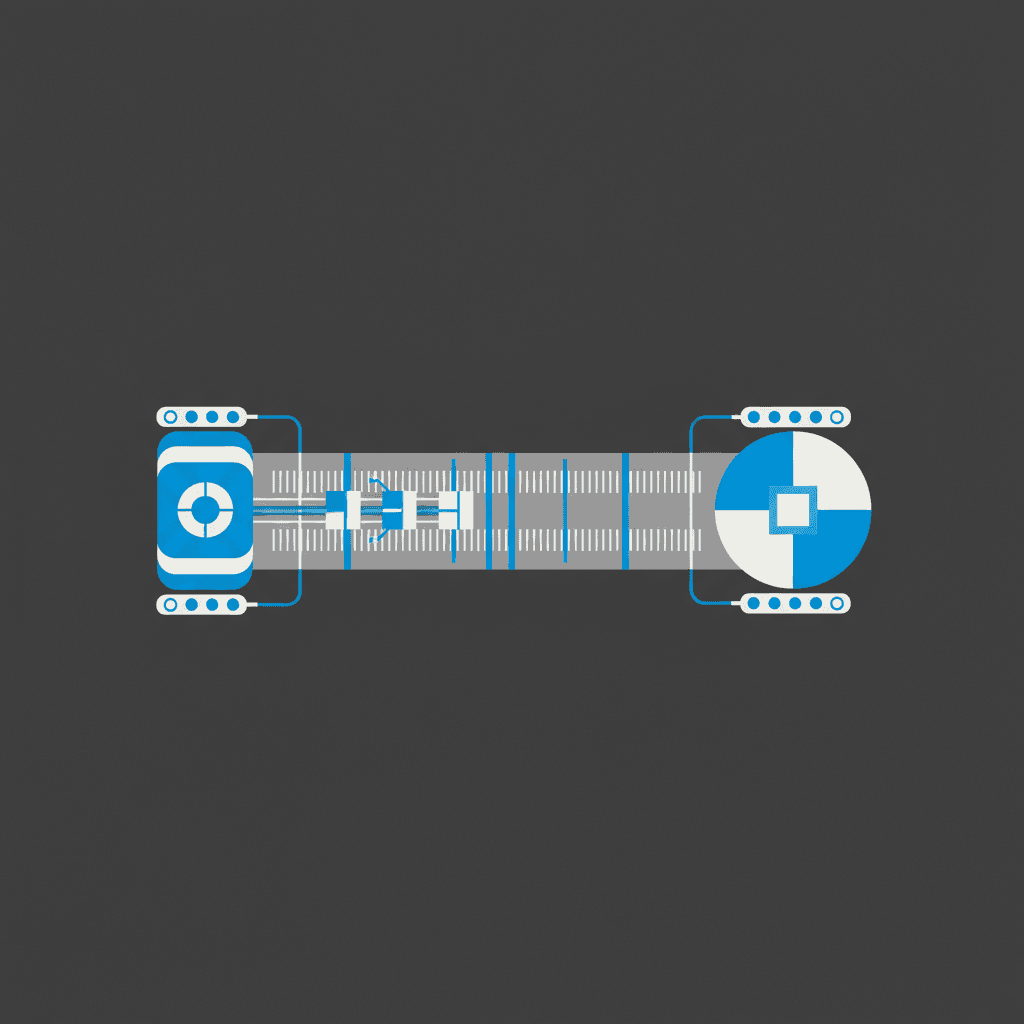
The Agent Client Protocol (ACP) is an open standard that defines how AI coding agents communicate with code editors. Created by Zed Industries and released in August 2025, it uses JSON-RPC 2.0 over stdin/stdout to create a universal interface between agents and editors.
Before ACP, every agent-editor combination required a custom integration. Claude Code worked in VS Code. Gemini worked in Gemini's own interface. Goose required a bespoke Neovim plugin. ACP standardizes the interface so any compatible agent works in any compatible editor, no custom glue code required.
The closest analogy is the Language Server Protocol. Before LSP, every editor needed its own TypeScript parser, Python linter, and Go formatter. After LSP, one language server worked everywhere. ACP does the same for AI agents.
Before ACP: Siloed Integrations
Each agent shipped its own editor plugin. Using Claude Code meant using Anthropic's VS Code extension. Using Goose meant using Goose's interface. Switching agents meant switching your entire workflow.
After ACP: Universal Compatibility
Any ACP-compatible agent runs in any ACP-compatible editor. Switch from Gemini CLI to Claude Code to Goose without changing your editor. Each agent stays focused on reasoning; the editor handles UX.
Zed Industries, the company behind the Zed code editor, created and open-sourced ACP. Google built an ACP-compatible Gemini CLI as the first external integration to validate the protocol. JetBrains announced a partnership with Zed in October 2025 to co-develop ACP and bring it to IntelliJ IDEA, PyCharm, and WebStorm. The protocol is now community-governed at github.com/agentclientprotocol.
ACP vs MCP: What's the Difference?
ACP and MCP are frequently confused because both involve AI agents and use JSON-RPC. They solve different problems and are designed to work together, not compete.
| Dimension | ACP (Agent Client Protocol) | MCP (Model Context Protocol) |
|---|---|---|
| Created by | Zed Industries (Aug 2025) | Anthropic (Nov 2024) |
| Solves | Agent-to-editor communication (where agents live) | Agent-to-tool/data communication (what agents can access) |
| Transport | JSON-RPC 2.0 over stdin/stdout | JSON-RPC 2.0 over stdio or HTTP+SSE |
| Primary relationship | Editor spawns agent as subprocess | Agent calls tool/resource servers |
| Streaming | Real-time token streaming to editor UI | Request-response (no native streaming) |
| Session state | Built-in session management, conversation history | Stateless per request |
| Bidirectional | Yes (agent can request permissions/files from editor) | Agent-initiated calls only |
| Ecosystem size | 25+ agents and editors (Mar 2026) | 10,000+ public MCP servers |
| Integration | Editor passes MCP endpoints to agent at session start | Agents can use MCP servers during ACP sessions |
The Simple Mental Model
MCP answers: "What tools and data can the agent access?" ACP answers: "Where does the agent live in the developer's editor?"
When an ACP session starts, the editor passes available MCP server endpoints and credentials to the agent. The agent then invokes tools via MCP calls, all piped through the ACP session. The two protocols are complementary layers in the same stack.
Most production setups use both. ACP handles the editor integration (the "outer layer") while MCP handles tool access (the "inner layer"). An agent running in Zed over ACP can simultaneously call a WarpGrep MCP server for codebase search, a database MCP server for schema inspection, and a browser MCP server for testing.
Which Editors Support ACP?
Editor support varies. Zed has the most complete implementation as the protocol's origin. JetBrains is adding native support. Neovim and Emacs rely on community plugins. VS Code has community extensions but no native support.
| Editor | Status | Notes |
|---|---|---|
| Zed | Native (full support) | Created by Zed Industries. Most complete implementation. 25+ agents work out of the box. |
| JetBrains (IntelliJ, PyCharm, WebStorm) | In progress (official partnership) | JetBrains and Zed co-developing native ACP support. Announced Oct 2025, shipping in 2026. |
| Neovim | Via plugins (stable) | agentic.nvim supports Claude Code, Gemini, Codex, Goose. avante.nvim and CodeCompanion also work. |
| Emacs | Via plugin (stable) | agent-shell plugin supports Claude Code, Gemini CLI, Codex, Goose. Native Emacs buffer UI. |
| VS Code | Via community extension (partial) | vscode-acp extension on VS Code Marketplace. No native support. Open issue #265496 on GitHub. |
| Obsidian | Via plugin (community) | obsidian-agent-client brings ACP agents into Obsidian notebooks. |
| marimo | Native support | Python notebook environment with full ACP integration. |
Zed's Native Support
Zed spawns agents as subprocesses and communicates over stdin/stdout. The editor passes codebase context (file tree, open files, terminal output) to the agent at session start. Agents stream token-by-token responses back to Zed's UI in real time.
VS Code: Why No Native Support?
Microsoft has standardized VS Code's agent mode on MCP rather than ACP. The open GitHub issue (#265496) requests native ACP support, but as of March 2026 Microsoft has not committed to adding it. Community extensions fill the gap for developers who want ACP agents in VS Code.
Which Agents Support ACP?
Over 25 agents support ACP as of March 2026. Google's Gemini CLI was the first external integration. GitHub Copilot CLI added ACP support in January 2026.
| Agent | ACP Status | Notes |
|---|---|---|
| Gemini CLI (Google) | Native | First external ACP integration. Google built it to validate the protocol alongside Zed. |
| Claude Code (Anthropic) | Via Zed bridge adapter | Zed built an adapter since Anthropic has not natively adopted ACP. Works in Zed, Neovim, Emacs. |
| GitHub Copilot CLI | Native (public preview) | ACP support launched January 2026. Enables Copilot in any ACP editor. |
| Goose (Block/Square) | Native | Block open-sourced ACP support in Goose. Works in Zed, Neovim, Emacs. |
| Codex CLI (OpenAI) | Via adapter (community) | Community-built adapter available. Official OpenAI support pending. |
| Cline | Native | Direct ACP support. Works across all ACP editors. |
| OpenHands | Native | ACP-compatible for editor integration. |
| Auggie (Augment Code) | Native | Available in Zed, Neovim, and Emacs via ACP since early 2026. |
| Mistral Vibe | Native | ACP support for Mistral-based coding workflows. |
| Aider | In progress | Implementation underway. Popular open-source agent adding ACP support. |
How ACP Works
ACP uses a subprocess model. When you activate an agent, your editor spawns it as a child process and communicates over stdin/stdout using JSON-RPC 2.0. This is the same transport mechanism LSP uses, which means ACP can run anywhere LSP runs.
Initialization Phase
Client and agent negotiate protocol versions and capabilities. Agent declares what it can do (file read/write, terminal access, MCP integration). Editor passes available MCP endpoints and credentials.
Session Management
Editor creates a named session with conversation history. Sessions persist across prompts so context accumulates. Sessions can be resumed after interruption.
Bidirectional Requests
Both sides can initiate requests. Agents send prompts back to request file content, permission to run commands, or additional context. Editors respond with the requested data.
Real-time Streaming
Agents send JSON-RPC notifications for token-by-token streaming. The editor UI updates in real time as the agent thinks. No waiting for a complete response before seeing output.
The Five Core Message Types
Every ACP session uses five baseline messages:
- session/initialize: Agent declares its capabilities and protocol version.
- session/new: Editor creates a new conversation session.
- session/prompt: Editor sends a user prompt to the agent.
- session/update: Agent streams a response back to the editor.
- session/cancel: Editor halts agent processing mid-response.
Permission Model
Agents cannot execute arbitrary commands. When an agent wants to run a terminal command or write a file, it sends a session/request_permission message to the editor. The editor (and by extension, the user) approves or denies each action. This keeps the user in control even during autonomous runs.
When an ACP session initializes, the editor passes all available MCP server endpoints and authentication tokens to the agent. The agent then calls MCP tools (search servers, database connectors, browser automation) through standard MCP calls, all piped through the ACP session. This means an agent does not need to handle MCP discovery itself: the editor handles it.
Protocol Version and Extensibility
ACP uses a single integer version number (PROTOCOL_VERSION = 1) that only increments for breaking changes. Non-breaking additions happen through capability negotiation at initialization. Custom extensions use underscore-prefixed method names and _meta fields, keeping the core protocol stable while allowing experimentation.
Getting Started with ACP
In Zed
Open Zed's agent panel and select an ACP-compatible agent from the dropdown. Zed ships with Gemini CLI and Claude Code (via adapter) pre-configured. For other agents, add them in your settings.json:
Zed settings.json — adding a custom ACP agent
{
  "agent": {
    "profiles": {
      "my-goose-agent": {
        "provider": "acp",
        "command": "goose",
        "args": ["run", "--acp"]
      }
    }
  }
}
In Neovim
Install agentic.nvim using your plugin manager:
Neovim — agentic.nvim setup (lazy.nvim)
{
  "carlos-algms/agentic.nvim",
  config = function()
    require("agentic").setup({
      default_agent = "claude-code",
      agents = {
        ["claude-code"] = {
          command = "claude",
          args = { "--acp" },
        },
        ["gemini"] = {
          command = "gemini",
          args = { "--acp" },
        },
      },
    })
  end,
}
Building an ACP Agent in Python
Use the official Python SDK to build ACP-compatible agents:
Python — minimal ACP agent
pip install agent-client-protocol# echo_agent.py
import asyncio
from acp import Agent, Session
class EchoAgent(Agent):
async def on_prompt(self, session: Session, prompt: str) -> str:
# Stream a response back to the editor
await session.stream_text(f"You said: {prompt}")
return "done"
if __name__ == "__main__":
asyncio.run(EchoAgent().run_stdio())Building an ACP Agent in TypeScript
TypeScript — ACP agent skeleton
npm install @agentclientprotocol/sdkimport { createAcpAgent } from "@agentclientprotocol/sdk";
const agent = createAcpAgent({
name: "my-agent",
version: "1.0.0",
onPrompt: async (session, prompt) => {
// Read a file from the editor
const file = await session.readFile("/src/index.ts");
// Stream partial responses
await session.streamText(`Processing: ${file.path}`);
return "done";
},
});
agent.run(); // starts stdio loopWhat Developers Are Saying
ACP hit Hacker News multiple times between October 2025 and early 2026, accumulating significant discussion across threads about the protocol's announcement, JetBrains adoption, and community tooling.
"Rather than integrating each one individually, we built a protocol that any agent could implement. We also hoped it would help the broader ecosystem: agents could stay focused on logic while editors handled UX, giving developers real choice instead of being locked into specific tool combinations."
Nathan Sobo, CEO of Zed Industries, on why they built ACP
The Goose team at Block described ACP as solving the "three-app problem": developers previously had to juggle an editor, an AI agent window, and a browser simultaneously. ACP collapses the agent into the editor, removing one app from the workflow entirely.
On Hacker News, the JetBrains ACP thread (December 2025) drew comments noting that enterprise Java and Kotlin developers, who have been reluctant to switch editors, would now have access to the full ACP agent ecosystem without leaving IntelliJ. This is ACP's main growth driver: it brings the agent ecosystem to editors with large existing userbases, not just to Zed.
Community Tooling
Beyond official implementations, the community has built several ACP tools:
- Acpex: An Elixir CLI for ACP, allowing agent interactions from the terminal with any ACP agent.
- acp-ai-provider: Vercel AI SDK community provider for ACP, enabling web-based ACP clients.
- obsidian-agent-client: Brings Claude Code, Codex, and Gemini into Obsidian via ACP.
Frequently Asked Questions
What is the Agent Client Protocol?
ACP is an open standard by Zed Industries that defines how AI coding agents communicate with code editors. It uses JSON-RPC 2.0 over stdin/stdout. Any ACP-compatible agent works in any ACP-compatible editor without custom integrations.
Is ACP replacing MCP?
No. They solve different problems. MCP (Anthropic's Model Context Protocol) handles tool and data access. ACP handles agent-editor integration. The two work together: when an ACP session starts, the editor passes MCP server endpoints to the agent so it can use both simultaneously.
Does Claude Code support ACP?
Claude Code works in ACP editors via a bridge adapter built by Zed. Anthropic has not natively adopted ACP, but the bridge wraps Claude Code so it communicates over ACP. You can use Claude Code in Zed, Neovim, and Emacs through this adapter.
Does VS Code support ACP?
No native support as of March 2026. Community extensions (vscode-acp) add partial support. An open GitHub issue (#265496) tracks the request for native integration. Microsoft has standardized VS Code's agent mode on MCP instead.
How is ACP different from LSP?
Both use JSON-RPC 2.0 over stdin/stdout. LSP standardizes language features (autocomplete, go-to-definition) between editors and language servers. ACP standardizes AI agent interaction (prompts, sessions, file permissions, streaming) between editors and coding agents. ACP is the LSP equivalent for AI agents.
How do I use ACP with Python?
Install the Python SDK: pip install agent-client-protocol. The SDK requires Python 3.10+ and provides async base classes, stdio JSON-RPC transport, and helper builders. Quickstart at agentclientprotocol.github.io/python-sdk.
Which editor has the best ACP support?
Zed has the most complete support since it created the protocol. JetBrains is adding native support in partnership with Zed. Neovim and Emacs have stable community plugins. VS Code has limited community extension support.
What agents support ACP?
Natively: Gemini CLI, GitHub Copilot CLI (public preview), Goose, Cline, OpenHands, Mistral Vibe, Auggie, and Blackbox AI. Via adapter: Claude Code, Codex CLI. In progress: Aider. The full list is at agentclientprotocol.com/overview/agents.
Related Pages
Use WarpGrep with ACP-Compatible Agents
WarpGrep is an MCP server for semantic codebase search. Plug it into Claude Code, Gemini CLI, Goose, or any ACP agent that supports MCP tool calls for better context and fewer hallucinations.
Sources
- Zed: Agent Client Protocol (Official Page)
- Agent Client Protocol: Protocol Overview
- Agent Client Protocol: Architecture
- GitHub: agentclientprotocol/agent-client-protocol
- JetBrains: Open Interoperability for AI Coding Agents in Your IDE
- GitHub Changelog: ACP Support in Copilot CLI
- Block Goose: Intro to Agent Client Protocol
- Zed Blog: How the Community is Driving ACP Forward
- PromptLayer: Agent Client Protocol, the LSP for AI Coding Agents
- Agent Client Protocol Python SDK Documentation
- AI Native Dev: Zed Debuts Agent Client Protocol
- Hacker News: Agent Client Protocol (ACP)