
Quick Verdict
- Choose CodeRabbit if: You need thorough code review with high recall (52.5%), multi-platform support (GitHub, GitLab, Bitbucket, Azure DevOps), deep customization via .coderabbit.yaml, and a tool built specifically for PR review
- Choose Copilot if: You already pay for GitHub Copilot, want zero-setup reviews inside GitHub, prefer higher precision (56.5%) with fewer false positives, and treat code review as one feature alongside completion and chat
- Use both if: Your team wants Copilot for code completion and chat plus CodeRabbit for dedicated, deeper review coverage on the same PRs
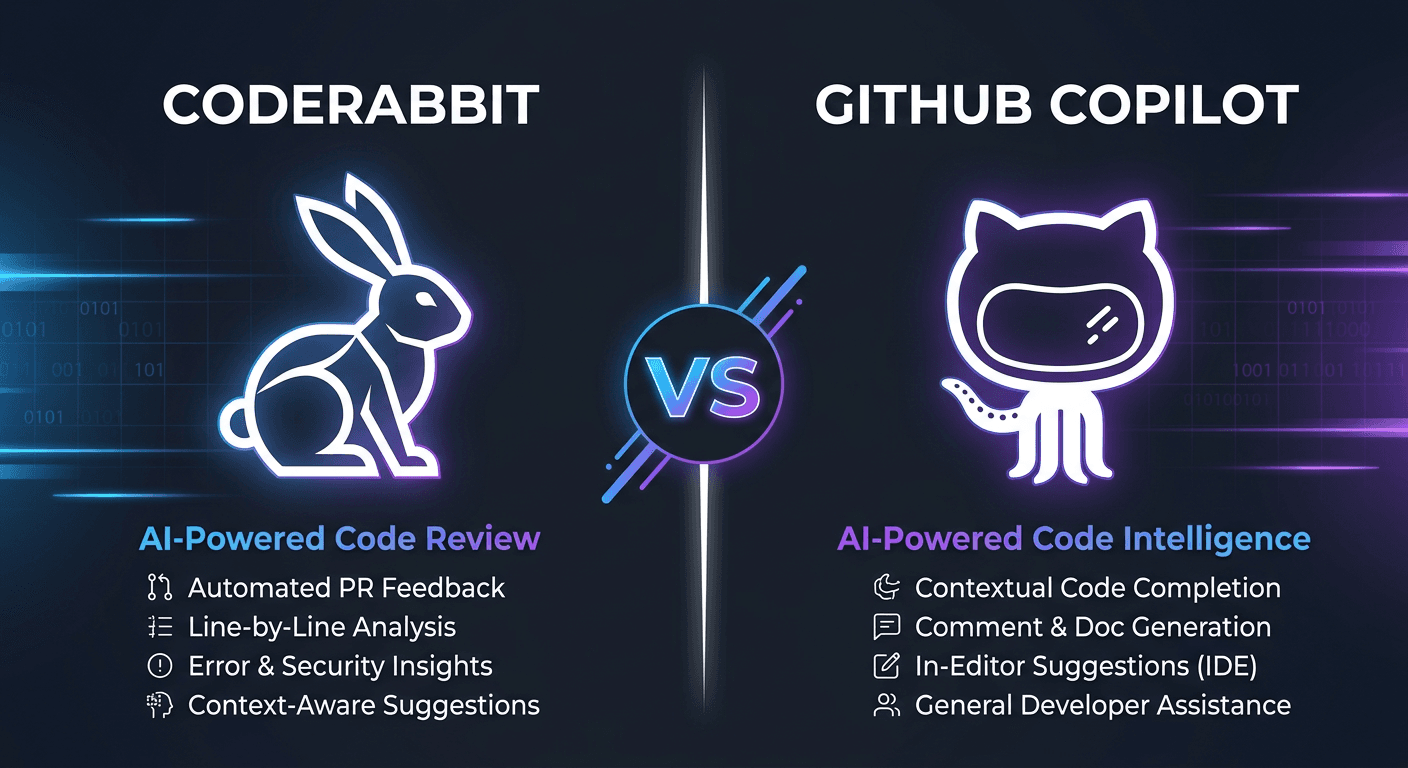
CodeRabbit is the dedicated code review tool. It processes PRs line by line, generates summaries, supports incremental commit reviews, and learns from your team's feedback. It ranks #1 on benchmark F1 scores across all AI code review tools.
GitHub Copilot added code review as a feature in 2025, roughly two years after CodeRabbit launched. Copilot benefits from native GitHub integration: there is nothing to install or configure, you just request a review. It ranks #9 overall but has the highest volume (747K reviews) due to its built-in distribution.
Benchmark Comparison
These numbers come from standardized code review benchmarks measuring how well each tool identifies real issues in pull requests. F1 balances precision (are flagged issues real?) and recall (how many issues are found?).
| Metric | CodeRabbit | GitHub Copilot |
|---|---|---|
| Overall Rank | #1 | #9 |
| F1 Score | 51.5% | 44.5% |
| Precision | 50.5% | 56.5% |
| Recall | 52.5% | 36.7% |
| Total Reviews | 317,301 | 747,570 |
The 7-point F1 gap is substantial. CodeRabbit catches 52.5% of issues vs Copilot's 36.7%. That 15.8 percentage point recall difference means CodeRabbit finds roughly 43% more bugs per review. Copilot compensates with 6 points higher precision, so its flags are slightly more reliable, but the missed issues add up.
Feature Comparison
| Feature | CodeRabbit | GitHub Copilot |
|---|---|---|
| Primary Purpose | Dedicated AI code review | AI coding assistant (review is one feature) |
| Platforms | GitHub, GitLab, Bitbucket, Azure DevOps | GitHub only |
| Review Type | Line-by-line + PR summary + commit reviews | PR-level comments + inline suggestions |
| Custom Rules | .coderabbit.yaml (unlimited, path-scoped) | .github/copilot-instructions.md (4,000 char limit) |
| Code Guidelines | Auto-reads .cursorrules, CLAUDE.md, GEMINI.md | Reads copilot-instructions.md only |
| Learning | Adapts to team review preferences over time | No learning from feedback |
| Security Scanning | Pattern-based + AI detection | CodeQL + ESLint integration |
| VS Code Extension | Yes (added 2025) | Yes (core feature) |
| CLI Tool | Yes (terminal-based reviews) | Yes (Copilot CLI) |
| Unit Test Generation | Coverage gap detection + test generation | Test suggestions in chat |
| MCP Integration | Yes | No |
| Auto-Review on PR | Yes (configurable) | Yes (opt-in per repo) |
| Incremental Reviews | Yes (per-commit) | Full PR only |
| Repositories Connected | 2M+ | Bundled with all GitHub repos |
The Precision vs Recall Story
The benchmark data reveals two different review philosophies. Copilot reviews conservatively. It flags fewer issues but is right more often (56.5% precision). This means less noise in your PR comments, fewer false positives to dismiss, and a cleaner review experience.
CodeRabbit reviews aggressively. It catches 52.5% of issues versus Copilot's 36.7%, a 43% improvement in detection rate. The tradeoff is slightly lower precision (50.5%), meaning roughly half of CodeRabbit's comments point to real issues. The other half are suggestions that may not be actionable.
Copilot: Conservative Reviewer
56.5% precision, 36.7% recall. Flags fewer issues, but flagged issues are more likely real. Good for teams that want low-noise reviews and don't need exhaustive coverage. Misses roughly 2 out of every 3 issues.
CodeRabbit: Thorough Reviewer
50.5% precision, 52.5% recall. Catches 43% more bugs than Copilot. Produces more comments, some of which are noise. Good for teams that use review as a quality gate and would rather over-flag than miss bugs.
For most engineering teams, recall matters more than precision in code review. A false positive costs a few seconds to dismiss. A missed bug costs hours or days to find in production. CodeRabbit's higher recall catches issues that Copilot silently lets through.
Pricing
CodeRabbit: Standalone Code Review
- Free: Open-source projects, unlimited repositories
- Pro ($24/month per dev, annual): $30/month billed monthly. Per-seat pricing counts only developers who create PRs, not total team members
- Enterprise: Custom pricing starting at $15K/month for 500+ users. Includes CSM, implementation support, and advanced security features
GitHub Copilot: Bundled AI Assistant
Copilot code review is not sold separately. You pay for Copilot, which includes completion, chat, agent mode, and code review. The relevant tiers for team code review:
- Pro ($10/month): Individual plan with 300 premium requests/month. Code review available but limited
- Pro+ ($39/month): 1,500 premium requests, all AI models including Claude Opus 4 and o3
- Business ($19/user/month): Organization-level plan. Code review available. Overages at $0.04/request
- Enterprise ($39/user/month): Full codebase-aware context, knowledge bases, CodeQL integration. Requires GitHub Enterprise Cloud
- CodeRabbit Pro: $240/month (10 devs x $24/month annual). Dedicated code review only.
- Copilot Business: $190/month (10 devs x $19/month). Includes completion, chat, and review. But code review uses premium request units that may hit limits.
- Copilot Enterprise: $390/month (10 devs x $39/month). Full codebase context for reviews.
Copilot Business is cheaper per seat, but you get code review as a secondary feature, not a primary one. Many teams run both: Copilot for coding, CodeRabbit for review.
Custom Instructions and Rules
CodeRabbit: .coderabbit.yaml
CodeRabbit's configuration system is the most flexible of any AI review tool. The .coderabbit.yaml file in your repo root controls review behavior with no character limits.
- Path instructions: Scope review rules to specific directories or file patterns. Tell CodeRabbit to enforce strict error handling in
src/app/api/**but be lenient in test files - Code guidelines: Point to your team's standards documents. CodeRabbit auto-reads
.cursorrules,CLAUDE.md,GEMINI.md, and.windsurfrulesby default - Learnable profiles: CodeRabbit adapts to your team's review preferences over time, reducing noise on patterns you consistently dismiss
GitHub Copilot: Instruction Files
Copilot uses .github/copilot-instructions.md for repository-wide rules and .github/instructions/*.instructions.md for path-scoped rules. The system is simpler but has real limitations.
- 4,000 character cap: Copilot only reads the first 4,000 characters of any instruction file. Complex rule sets get truncated
- Best-effort application: Instructions are not guaranteed. GitHub's own documentation describes them as "best-effort". Multiple community reports confirm instructions being partially or completely ignored
- Non-deterministic behavior: The same instruction may be applied in one review and ignored in the next. Restarting a Copilot session sometimes fixes this
- Path scoping (added September 2025):
applyTosections in instruction files let you target specific paths, but the 4,000-character limit still applies per file
CodeRabbit: Deep Customization
No character limits. Path-scoped instructions. Auto-reads existing rule files (.cursorrules, CLAUDE.md). Learns from team feedback. Integrates with MCP servers for additional context.
Copilot: Simple but Limited
4,000 character cap per instruction file. Best-effort application (not guaranteed). No learning from feedback. Path scoping added in late 2025 but still constrained.
Integration and Setup
GitHub Copilot: Zero Setup
Copilot's strongest advantage is frictionless activation. If your organization has Copilot Business or Enterprise, every PR can get AI review with no additional installation. Request a review from "Copilot" like you would from a team member. It reads the diff, source files, and directory structure, then leaves comments.
The October 2025 update added context gathering: Copilot now explores the directory structure and reads related source files, not just the diff. Enterprise plans index your full codebase for more relevant suggestions.
CodeRabbit: GitHub App Installation
CodeRabbit requires installing a GitHub App (or equivalent for GitLab/Bitbucket/Azure DevOps). Setup takes about 5 minutes: install the app, select repositories, and optionally add a .coderabbit.yaml configuration. Once installed, CodeRabbit auto-reviews every PR.
The multi-platform advantage is significant. Teams that use GitHub for open-source but GitLab for internal code can use CodeRabbit across both. Copilot reviews are GitHub-only.
| Setup Aspect | CodeRabbit | GitHub Copilot |
|---|---|---|
| Installation | GitHub App (5 min setup) | Included with Copilot subscription |
| Configuration | Optional .coderabbit.yaml | Optional copilot-instructions.md |
| Auto-Review | On by default for all PRs | Opt-in per repo or per PR |
| Multi-Platform | GitHub, GitLab, Bitbucket, Azure DevOps | GitHub only |
| Admin Controls | Org-level settings, per-repo overrides | Organization policy settings |
| SSO/SAML | Enterprise plan | Enterprise plan |
When Copilot Wins
Already Using GitHub Copilot
If your team has Copilot Business or Enterprise, code review is already included, with no additional vendor, billing line, or app to install. Request a review and it works.
Low-Noise Reviews
56.5% precision means fewer false positives. Teams that want clean, actionable review comments without much noise prefer Copilot's conservative approach. Every flag is more likely to be a real issue.
Unified Developer Experience
Code completion, chat, agent mode, and review in one tool. One subscription covers everything. Context from your coding session carries into review suggestions on Enterprise plans.
Simple Review Needs
For teams that treat AI review as a safety net rather than a primary quality gate, Copilot's coverage is sufficient. It catches obvious bugs and security issues without the overhead of a dedicated tool.
When CodeRabbit Wins
Thorough Bug Detection
52.5% recall vs 36.7%. CodeRabbit catches 43% more issues per review. For teams where missed bugs are expensive (fintech, healthcare, infrastructure), the higher detection rate justifies the cost.
Multi-Platform Teams
GitHub, GitLab, Bitbucket, Azure DevOps. If your code lives on multiple platforms, CodeRabbit is the only AI review tool that covers all of them with a single configuration.
Deep Customization
No character limits on rules. Path-scoped instructions. Auto-reads .cursorrules, CLAUDE.md, and other standard config files. Learns from your team's review patterns. MCP integration for external context.
Code Review as Primary Quality Gate
Incremental per-commit reviews, detailed PR summaries, interactive comment threads, and unit test generation for coverage gaps. CodeRabbit treats review as its entire product, not a feature.
How WarpGrep Fits
Both CodeRabbit and Copilot struggle with the same problem: understanding large codebases during review. A reviewer (human or AI) needs to know how a changed function is called, what patterns the codebase follows, and what side effects a change might have. Both tools approximate this through context gathering, but neither does deep semantic search.
Morph WarpGrep provides the codebase search layer that AI review tools need. It indexes your repository and answers semantic queries: "How is this function used across the codebase?", "What error handling patterns does this project follow?", "What tests cover this module?". WarpGrep achieves 0.73 F1 on code search benchmarks in an average of 3.8 steps.
WarpGrep's MCP server integrates directly with AI coding tools. When combined with CodeRabbit or used alongside Copilot in your IDE, it gives the AI reviewer deeper context than either tool provides alone. The difference is measurable: Anthropic found a 90% improvement in multi-agent task completion when agents have proper codebase search, and Cognition measured 60% of agent time spent searching without it.
Frequently Asked Questions
Is GitHub Copilot code review free?
Copilot code review is included in Copilot Business ($19/user/month) and Enterprise ($39/user/month) plans. The free Copilot tier includes 50 chat messages per month but limited review capabilities. Code review requests consume premium request units (PRUs), and overages cost $0.04 per request.
Does CodeRabbit work with GitLab and Bitbucket?
Yes. CodeRabbit supports GitHub, GitLab, Bitbucket, and Azure DevOps. Copilot code review only works on GitHub. If your team uses multiple platforms, CodeRabbit is the only option that covers all of them.
Why does Copilot have higher precision but lower recall?
Copilot reviews conservatively. It scores 56.5% precision vs CodeRabbit's 50.5%, meaning its flags are more likely real. But Copilot only catches 36.7% of issues (recall) vs CodeRabbit's 52.5%. Copilot flags fewer things but is more accurate when it does. CodeRabbit is more aggressive, catching more bugs at the cost of slightly more false positives.
Can I use both CodeRabbit and Copilot together?
Yes, and many teams do. Copilot handles code completion, chat, and basic review as part of the GitHub workflow. CodeRabbit runs as a separate GitHub App providing deeper, dedicated PR reviews. The reviews appear as separate comment threads on the same PR with no conflicts.
Does Copilot code review support custom instructions?
Yes, via .github/copilot-instructions.md for repository-wide rules and .github/instructions/*.instructions.md for path-scoped rules. Copilot only reads the first 4,000 characters of any instruction file, and instructions are applied on a best-effort basis. Multiple GitHub community discussions report instructions being partially or completely ignored.
How does .coderabbit.yaml compare to Copilot instruction files?
CodeRabbit's .coderabbit.yaml offers more granular control: path-specific review instructions with no character limits, code guidelines referencing external docs, learnable review profiles that adapt to your team's preferences, and integration with existing rule files like .cursorrules, CLAUDE.md, and .windsurfrules. Copilot's instruction system is simpler but limited to 4,000 characters with non-deterministic application.
Which tool is better for open-source projects?
Both are free for open-source. CodeRabbit is more popular in the open-source community with over 2 million repositories connected. It provides detailed line-by-line reviews, PR summaries, and incremental commit reviews. Copilot's open-source review requires contributors to have their own Copilot subscription or the org to pay for it.
How many reviews has each tool processed?
As of the latest benchmarks, Copilot has processed 747,570 reviews and CodeRabbit has processed 317,301. Copilot's higher volume comes from being bundled with GitHub, not from superior review quality. CodeRabbit ranks #1 overall on F1 score (51.5%) while Copilot ranks #9 (44.5%).
Related Comparisons
Deep Codebase Search for Better Code Review
WarpGrep indexes your codebase and gives AI tools the context they need. 0.73 F1 on search benchmarks, 3.8 average steps. Works with CodeRabbit, Copilot, or any MCP-compatible tool.