
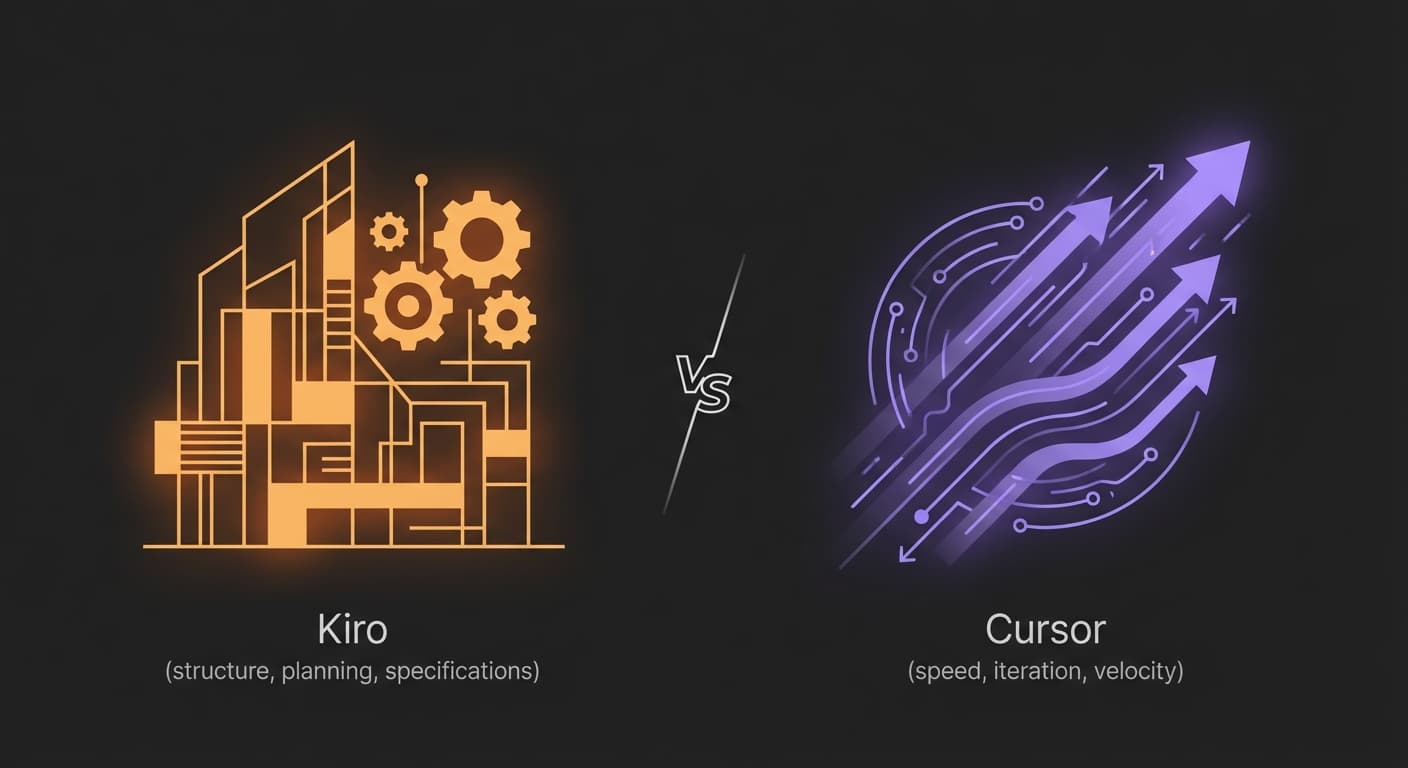
TL;DR: Quick Verdict
Kiro generates 3 documents (requirements, system design, task list) before writing code. Cursor runs up to 8 parallel agents and completes most tasks in under 30 seconds. Both cost $20/mo. Both fork VS Code. Both use Claude. The difference is philosophical.
| Kiro | Cursor | |
|---|---|---|
| Philosophy | Spec first, code second | Speed first, iterate fast |
| Pro price | $20/mo (1,000 credits) | $20/mo (flat, soft limits) |
| Free tier | 50 credits/mo (permanent) | 2-week trial only |
| Parallel agents | Autonomous agent (async) | Up to 8 agents in parallel |
| Tab completions | Available, not primary focus | Sub-200ms (specialized model) |
| Models | Claude Sonnet 4.6 + Auto mode | OpenAI, Anthropic, Google, xAI |
| IDE support | VS Code + CLI (JetBrains, Zed via ACP) | VS Code fork only |
| Cloud integration | Deep AWS (Lambda, CDK, GovCloud) | Cloud-agnostic |
| Open source | Yes (GitHub) | No |
Where Each Tool Leads (Feature Score, 10-point scale)
Based on testing in February 2026. Higher is better.
Kiro leads on structure, compliance, and openness. Cursor leads on speed, models, and ecosystem.
- Kiro if you work on AWS-native projects, need GovCloud compliance, or want the AI to plan architecture before writing code. Spec-driven development catches design mistakes at the requirements stage.
- Cursor if you want sub-200ms completions, 8 parallel agents, multi-model flexibility, and the largest community ecosystem. 1M+ paying subscribers validate speed-first iteration.
- Both: Kiro for greenfield features where upfront design prevents rework. Cursor for rapid iteration, bug fixes, and exploratory coding.
Both shipped major updates in early 2026. Kiro launched its autonomous agent, Claude Sonnet 4.6 support, and GovCloud availability. Cursor crossed $2B+ ARR projections with Background Agents and 8-way parallelism. This comparison uses data from February 2026.
The Philosophy Split: Why This Comparison Is Different
Kiro and Cursor do not just differ on features. They represent opposing theories about how AI should help developers write software. The tool you pick trains your muscle memory around one philosophy, and switching later means retraining habits.
Kiro: Spec First, Code Second
Kiro produces a requirements document in EARS notation, then a system design with architecture decisions, then a dependency-ordered task list. All before a single line of code. Every step is reviewable. A design mistake caught in a spec costs minutes. Caught in production, it costs days.
Cursor: Speed First, Iterate Fast
Sub-200ms tab completions. An agent that completes most tasks in under 30 seconds. Up to 8 parallel agents in isolated environments. Ship fast, get feedback, iterate. You can course-correct faster than you can plan.
This is a workflow debate, not a features debate. Some developers write design docs before PRs, think in systems diagrams, and catch bugs in code review by reading the spec. Those developers will pick Kiro. Others prototype in code, refactor aggressively, and ship MVPs in hours. Those developers will pick Cursor.
"Kiro excels at structured, scalable engineering, ideal for teams formalizing requirements and automation. Cursor shines for nimble, conversational coding, perfect for solo developers and rapid prototyping." (Dev.to comparison analysis)
The risk with Kiro: spending 20 minutes generating specs for a 5-minute change. The risk with Cursor: shipping fast and accumulating architectural debt that costs 10x to fix later.
Knowing which failure mode you are more prone to should guide your choice.
Spec-Driven Development: How Kiro Works
Kiro's spec system is what separates it from every other AI IDE. You describe a feature in natural language. Kiro produces 3 artifacts before writing any code.
Requirements (EARS Notation)
A formal requirements document using EARS (Easy Approach to Requirements Syntax). Intent and constraints become explicit. You review and edit before proceeding.
System Design
Architecture decisions, design documents, and tech stack recommendations that satisfy the requirements. This is where Kiro catches 'wrong direction' mistakes before code exists.
Implementation Tasks
Dependency-ordered tasks with optional tests. Each task is a concrete unit. Run them sequentially or hand them to Autopilot mode for autonomous execution.
Two spec types: Feature Specs (with Requirements-First and Design-First variants) and Bugfix Specs (root cause identification, fix design, regression validation). A "Vibe Mode" exists for quick, unstructured coding when the full spec pipeline would be overkill.
Specs pay off on features that touch multiple files, involve architectural decisions, or affect other team members' work. They over-index on one-line bug fixes, CSS changes, or exploratory prototyping. Kiro offers Vibe Mode for those cases, but the spec workflow is the core product bet. If most of your work is small iterative changes, Cursor's speed-first approach will serve you better.
Cursor has no equivalent. Cursor's workflow: describe what you want, the agent writes code, you review the diff. An editable Markdown plan mode exists, but it does not enforce the structured requirements-to-design-to-tasks pipeline. This is a deliberate design choice. Cursor bets the review-the-diff loop is fast enough that upfront specs add friction without proportional value.
ThoughtWorks published an analysis of spec-driven development tools in late 2025, comparing Kiro, GitHub's spec-kit, and Tessl. Their conclusion: spec-driven approaches work best when requirements are ambiguous, teams are distributed, or regulatory compliance demands traceability. For solo developers on well-understood problems, the overhead may not pay off.
Head-to-Head Feature Comparison
Tested in February 2026 with the latest updates from both tools.
| Feature | Kiro | Cursor |
|---|---|---|
| Base IDE | Code OSS fork (open source) + CLI with ACP | VS Code fork (proprietary, standalone only) |
| Core philosophy | Spec-driven development | Speed-first iteration |
| Tab completions | Available but not the primary focus | Sub-200ms predictions (specialized model) |
| Agent mode | Autopilot + Supervised modes | Agent + up to 8 parallel agents |
| Autonomous agent | Async, multi-repo, learns from reviews | Background Agents in cloud Ubuntu VMs |
| Spec/plan workflow | Full pipeline: requirements → design → tasks | Editable Markdown plans |
| Event-driven automation | Agent hooks (file save, create, delete triggers) | Not available |
| Project-level AI rules | Steering files (persistent markdown) | Cursor rules + .cursorrules |
| MCP support | Yes (workspace + global + remote) | Yes |
| Model providers | Claude Sonnet 4.6 + Auto mode (Bedrock) | OpenAI, Anthropic, Google, xAI, Cursor models |
| CLI / terminal agent | Kiro CLI with ACP protocol | No native CLI |
| Cloud platform integration | Deep AWS (CodeCatalyst, Lambda, CDK) | Cloud-agnostic |
| Open source | Yes (GitHub: kirodotdev/Kiro) | No (proprietary) |
| Voice input | Not available | Voice mode for hands-free coding |
The pattern: Kiro leads on structure and automation (specs, hooks, steering, CLI, AWS integration, open source). Cursor leads on speed and breadth (tab completions, parallel agents, model variety, community ecosystem, voice input). Both tools are strong. They optimize for different types of developers and different types of work.
AI Agent Capabilities: Autopilot vs Background Agents
Both Kiro and Cursor offer autonomous agent modes. The architectures differ significantly and reflect each tool's philosophy about how AI should work.
Kiro Autopilot + Autonomous Agent
Autopilot mode lets Kiro make multiple codebase changes without per-action approval. Supervised mode requires stepwise review. The autonomous agent (rolling out to Pro+ and above) works asynchronously across multiple repositories, maintains persistent context between sessions, learns from code review feedback, and coordinates specialized sub-agents for complex tasks.
Cursor Background Agents
Cursor 2.0 supports up to 8 parallel agents running in isolated environments. Background Agents execute in cloud-hosted Ubuntu VMs with internet access, using Git worktrees for code isolation. The Composer model completes most tasks in under 30 seconds. Agents can open PRs when done and self-test using a native browser tool.
| Dimension | Kiro | Cursor |
|---|---|---|
| Parallel agents | Autonomous agent (async, multi-repo) | Up to 8 agents in parallel |
| Isolation method | Multi-repo with persistent context | Git worktrees + cloud Ubuntu VMs |
| Cross-session memory | Persistent context, learns from reviews | Per-session context |
| Spec adherence | Agent follows spec tasks in order | Agent follows natural language prompt |
| Self-testing | Runs test suites autonomously | Native browser tool with visual iteration |
| Sub-agents | Custom sub-agents (Feb 2026) | Not available |
| Model selection | Auto mode (best model per task type) | Manual model switching per task |
| Agent speed | Thoroughness-optimized | Composer model (under 30s per task) |
The practical difference: Kiro's autonomous agent is built for long-running, structured operations where persistent context and spec adherence matter. It learns from your code review feedback over time and coordinates sub-agents for complex tasks. Cursor's Background Agents are built for raw parallelism: throw 8 agents at 8 different tasks and iterate fast. Kiro optimizes for correctness; Cursor optimizes for throughput.
Kiro's Auto mode deserves attention. Instead of forcing you to pick a model, Auto uses a mix of frontier models (Claude Sonnet 4.6 and others) with intent detection and caching to balance quality, latency, and cost per task type. Simple completions route to fast models. Complex reasoning routes to frontier models. Cursor requires manual model switching. For developers who do not want to think about model selection, Auto is a meaningful quality-of-life improvement.
Pricing Breakdown
Kiro and Cursor are priced identically at the Pro tier: $20/month. The difference is in the billing model. Kiro uses credits with transparent overage pricing. Cursor uses a flat rate with soft limits and model-dependent overages. Neither approach is strictly better. It depends on your usage pattern.
| Tier | Kiro | Cursor |
|---|---|---|
| Free | 50 credits/month (permanent) + 30-day trial with 500 credits | 2-week Pro trial, then very limited |
| Pro | $20/month (1,000 credits) | $20/month (flat rate with soft limits) |
| Pro+ | $40/month (2,000 credits) | Not available at this tier |
| Power / Ultra | $200/month (10,000 credits) | $200/month (20x usage) |
| Overage pricing | $0.04/credit (transparent, opt-in) | Varies by model, soft limits |
| Enterprise | Custom (GovCloud ~20% premium) | Custom pricing |
| Billing model | Credit-based with clear per-credit overages | Flat rate with opaque soft limits |
At Pro tier, both cost $20/month. The overage models differ. A Kiro Pro user who burns 1,200 credits (200 over the 1,000 limit) pays $20 + $8 = $28/month. A Cursor Pro user who hits soft limits gets throttled to slower models or prompted to upgrade. For predictable, moderate usage both are equivalent. For heavy usage, Kiro's $0.04/credit overage is more transparent than Cursor's model-dependent throttling. The mid-tier gap matters: Kiro Pro+ at $40/month fills a space between Cursor's $20 Pro and $200 Ultra where Cursor has no offering.
Kiro's free tier is meaningfully better. Fifty credits per month permanently, plus a 30-day Pro trial with 500 credits for new users. That is enough for light exploration and occasional spec-driven features. Cursor's free tier is a two-week trial that degrades to near-unusable after expiration. If you are a student, hobbyist, or evaluating both tools, Kiro lets you keep working indefinitely.
"AWS pricing for Kiro dev tool 'a wallet-wrecking tragedy'" — The Register headline, August 2025. Early pricing drew criticism, but the revamped tiers (announced alongside the Auto agent) are now competitive with Cursor at every level.
AWS Integration and GovCloud
This is where Kiro has a structural advantage no competitor can easily replicate. It is built by AWS, runs on Amazon Bedrock, and has native integrations with AWS services that Cursor cannot match.
AWS-Native Workflows
Kiro understands Lambda functions, CDK constructs, CloudFormation templates, and CodeCatalyst workflows natively. When you spec a serverless feature, Kiro generates code that fits your existing AWS architecture. Not generic boilerplate with SDK calls bolted on — the agent understands your infrastructure layer.
GovCloud Availability
As of February 2026, Kiro is available in AWS GovCloud (US-East and US-West) regions. It supports private endpoints over VPN or direct connect, enterprise authentication via IAM Identity Center, and is pursuing FedRAMP High and DoD CC SRG authorization. Telemetry is disabled by default for enterprise users.
| Capability | Kiro | Cursor |
|---|---|---|
| Cloud platform | Amazon Bedrock (native) | Cloud-agnostic |
| AWS service integration | Lambda, CDK, CloudFormation, CodeCatalyst | Via MCP servers (community-built) |
| GovCloud regions | US-East + US-West (live Feb 2026) | Not available |
| FedRAMP status | Pursuing High + DoD CC SRG authorization | Not available |
| Private endpoints | VPN / Direct Connect (air-gap capable) | Not available |
| Enterprise auth | IAM Identity Center, GitHub, Google, AWS Builder ID | SSO (enterprise tier) |
| Data collection opt-out | Enterprise auto-opt-out, admin-controlled | SOC 2 Type II |
| Network isolation | Full air-gap support in GovCloud | Not available |
If your team builds on AWS and needs compliance certifications, Kiro is the clear choice. The GovCloud deployment with private endpoints and air-gap support opens doors in government, defense, and healthcare that Cursor cannot enter. Even for commercial AWS teams, native service understanding means less prompt engineering to get correct infrastructure code.
Kiro's AWS integration is a strength for AWS shops and a limitation for multi-cloud or GCP/Azure teams. You do not need an AWS account to use Kiro's basic features (login via GitHub or Google works), but the deep integration advantages only apply to AWS infrastructure. Cursor is deliberately cloud-agnostic. If you deploy to GCP or Azure, Cursor's neutrality is a genuine advantage.
Steering, Hooks, and Automation
Both Kiro and Cursor let you customize AI behavior with project-level rules. Kiro takes automation significantly further with agent hooks — event-driven triggers that execute AI tasks automatically without manual intervention.
Kiro Steering Files
Markdown files that give Kiro persistent knowledge about your workspace: coding conventions, library preferences, architectural patterns. Instead of re-explaining conventions in every chat, steering files ensure consistent behavior. Supports both workspace and global scope.
Kiro Agent Hooks
Event-driven automations written in natural language. Trigger AI agent tasks on file save, create, or delete events. Pre Tool Use hooks block or modify agent actions before execution. Post Tool Use hooks automate logging, formatting, docs, and commits. Like GitHub Actions for your local dev environment.
Cursor Rules
Cursor supports .cursorrules files and a visual rules editor for project-level AI behavior customization. The cursor.directory community maintains thousands of rule templates. Rules guide completions and agent behavior but do not trigger autonomous actions on file events.
| Capability | Kiro | Cursor |
|---|---|---|
| Project AI rules | Steering files (markdown, workspace + global) | .cursorrules + visual editor |
| Event-driven automation | Agent hooks (save, create, delete, manual) | Not available |
| Pre-action hooks | Block or modify agent actions before execution | Not available |
| Post-action hooks | Auto-format, auto-commit, auto-document | Not available |
| Community templates | Growing library (open source) | Mature (cursor.directory, thousands) |
| Rule scope | Workspace + global | Project-level |
Agent hooks are Kiro's most underappreciated feature. A developer who configures hooks to auto-generate tests on file save, update API docs on route changes, enforce naming conventions on file creation, and block modifications to protected files has built a custom CI pipeline inside their IDE. Cursor has nothing comparable — its rules are passive guidance, not active automation.
"I stopped fighting my AI. Kiro's agent hooks and steering files fixed my biggest frustration with AI coding tools." — Developer feedback, Dev.to
IDE Flexibility and Ecosystem
Both Kiro and Cursor are VS Code forks. The important difference is what happens outside VS Code.
| Dimension | Kiro | Cursor |
|---|---|---|
| IDE format | Standalone IDE + Kiro CLI | Standalone IDE only |
| JetBrains support | Yes (via Kiro CLI + ACP protocol) | No |
| Zed support | Yes (via ACP protocol) | No |
| Terminal agent | Kiro CLI (full agent capabilities) | No native CLI |
| VS Code extensions | Open VSX Registry compatible | VS Code Marketplace compatible |
| Community ecosystem | Growing (open source contributions) | Mature (cursor.directory, 1M+ users) |
| Open source | Yes (GitHub: kirodotdev/Kiro) | No (proprietary) |
| Voice input | Not available | Voice mode for hands-free coding |
| Login options | GitHub, Google, AWS Builder ID, IAM Identity Center | GitHub, Google, email |
Kiro's CLI with Agent Client Protocol (ACP) support is a genuine differentiator. ACP is an open standard that lets Kiro's agentic capabilities work in any compatible editor: JetBrains IDEs, Zed, and others. As of version 1.25.0 (February 2026), ACP-compatible editors can use Kiro as a custom agent. If you are a JetBrains or Zed user, Kiro gives you full agent capabilities without switching IDEs. Cursor requires a complete IDE switch — you either use Cursor or you do not use Cursor.
Cursor's advantage is community maturity. The cursor.directory site has thousands of rule templates. The 1M+ user base means more community extensions, more Stack Overflow answers, and more Reddit troubleshooting threads. Kiro's community is growing fast — the GitHub repository is active with community contributions — but the ecosystem is still a fraction of Cursor's.
Kiro is open source on GitHub (kirodotdev/Kiro). Cursor is closed source. For teams that need to audit their development tools, contribute upstream fixes, or verify telemetry claims independently, this distinction is significant. Open source also means community contributions to specs, hooks, and steering templates accumulate faster than any single company can ship features.
Developer Sentiment: What Reddit and Dev.to Actually Say
Developer forums tell a consistent story: Kiro and Cursor attract different personality types, and both have vocal advocates and critics.
Pro-Kiro Sentiment
Developers praise the spec workflow for reducing rework on complex features, agent hooks for automating tedious tasks, and AWS integration for serverless projects. Common thread: 'It feels like a real IDE — well-integrated, cohesive, not just a VS Code wrapper with AI bolted on.' Enterprise developers appreciate GovCloud and the open-source codebase.
Pro-Cursor Sentiment
Developers cite tab completion speed, model flexibility, the mature extension ecosystem, and the ability to throw 8 agents at a problem simultaneously. Common feedback: 'Cursor significantly outperforms Kiro in traditional code autocomplete and real-time suggestions.' The 1M+ user base creates network effects in community support and shared configurations.
The criticism is equally revealing. Kiro skeptics question whether spec-driven development is "too rigid for the exploratory, iterative way most software actually gets built." They worry the spec workflow adds friction for simple tasks. Cursor critics point to pricing opacity after the June 2025 changes and a growing corporate feel. Multiple Reddit threads reflect frustration with Cursor's transition from beloved underdog to corporate pricing structures.
Multiple Dev.to posts highlight Kiro as better for beginners and junior developers. The spec workflow forces you to think about requirements and design before coding — habits that experienced engineers already have but juniors need to build. Cursor's speed-first approach can reinforce "code first, think later" patterns. If you are onboarding junior developers, Kiro's structured workflow may produce better long-term engineering habits.
When Kiro Wins
Kiro is the better choice in these specific scenarios:
AWS-Native Development
If your stack is Lambda, CDK, CloudFormation, and CodeCatalyst, Kiro understands your infrastructure natively. The agent generates code that fits your AWS architecture — not generic boilerplate with SDK calls. No other AI IDE has this depth of AWS integration.
Regulated Industries and GovCloud
GovCloud availability, private endpoints, air-gap support, IAM Identity Center auth, and pursuit of FedRAMP High authorization. If your procurement team requires these certifications, Kiro is the only AI IDE that qualifies. Cursor has SOC 2 but nothing beyond that.
Complex Features Needing Architecture Review
Features that touch 10+ files, involve architectural decisions, or affect multiple teams. Kiro's spec pipeline catches design mistakes at the requirements stage — when fixing them costs minutes, not days. The structured task breakdown also makes code review faster and more systematic.
Teams Needing Consistency and Automation
Agent hooks + steering files create enforceable project standards. Auto-generate tests on save, auto-update docs on changes, block modifications to protected files. Cursor rules are passive guidance; Kiro hooks are active enforcement. For teams where consistency matters more than individual speed, Kiro wins.
When Cursor Wins
Cursor is the better choice in these specific scenarios:
Rapid Prototyping and Iteration
Sub-200ms tab completions, a Composer agent that finishes most tasks in under 30 seconds, and 8 parallel agents for multi-front work. If your development style is ship fast, iterate, and refactor, Cursor's speed advantage is measurable and compounds throughout your day.
Multi-Model Flexibility
Cursor supports OpenAI, Anthropic, Google, xAI, and its own Cursor-trained models. Switch models mid-conversation or assign different models to different task types. Kiro routes through Amazon Bedrock with Auto mode. If you want GPT-5.4 for one task and Claude for another, Cursor gives you that control.
Community Ecosystem
1M+ paying subscribers, cursor.directory with thousands of rule templates, mature extension ecosystem, and extensive community knowledge. When you hit a problem, someone on Reddit or Stack Overflow has already solved it. Kiro's open-source community is growing but still a fraction of Cursor's user base.
Cloud-Agnostic Teams
If you deploy to GCP, Azure, or multi-cloud, Cursor's neutrality is an advantage. Kiro's AWS integration is a strength only for AWS shops. Cursor's Background Agents in cloud VMs work regardless of your infrastructure provider, with no vendor-specific dependencies.
The Power User Play: Use Both (and Add a Terminal Agent)
The most productive developers in 2026 are not loyal to one tool. They use each for what it does best, and the best results come from combining different tools for different phases of development.
Kiro for Greenfield and Structure
Use Kiro when building something new that needs architectural thinking. The spec workflow catches design mistakes early. Agent hooks enforce standards automatically. Queue autonomous tasks for background work. Spec artifacts become living documentation.
Cursor for Speed Work
Use Cursor for bug fixes, quick refactors, one-off scripts, and exploratory prototyping. Sub-200ms completions, 8 parallel agents, and a community that has already solved most common problems. Speed tasks do not need specs.
Terminal Agent for Autonomy
Add Claude Code for fully autonomous multi-file refactors, test suite generation, and operations spanning multiple repositories. Terminal agents work alongside any IDE and add autonomous capabilities that complement both Kiro's structure and Cursor's speed.
| Task | Best Tool | Why |
|---|---|---|
| New feature with design decisions | Kiro spec mode | Requirements → design → tasks catches errors early |
| Quick bug fixes and inline edits | Cursor | Fastest path from problem to PR |
| AWS infrastructure code | Kiro | Native Lambda, CDK, CloudFormation understanding |
| Enforcing team standards | Kiro agent hooks | Event-driven automation on file save/create/delete |
| Exploring a new codebase | Cursor | Fast inline explanations and model flexibility |
| Large multi-file refactors | Claude Code | 80.9% SWE-bench, autonomous execution |
| Test suite generation | Claude Code + Kiro hooks | Claude Code generates, hooks auto-trigger |
| Parallel feature work | Cursor | 8 agents in isolated cloud VM environments |
Terminal agents like Claude Code complement both Kiro and Cursor. They handle heavy autonomous work while your IDE handles real-time assistance. Tools like WarpGrep add semantic codebase search to any terminal agent, further reducing your dependence on any single IDE's context engine.
Decision Framework: Picking the Right Tool
Answer each question honestly, then follow the path. This should take under two minutes.
| Your Situation | Best Choice | Why |
|---|---|---|
| AWS-native stack (Lambda, CDK) | Kiro | Only IDE with native AWS service integration |
| Government or defense workloads | Kiro | GovCloud, private endpoints, FedRAMP pursuit |
| Team needs auditable specs | Kiro | Requirements → design → tasks with full traceability |
| Want workflow automation | Kiro | Agent hooks enforce standards on file events |
| JetBrains or Zed user | Kiro | CLI + ACP protocol works in non-VS-Code editors |
| Open source requirement | Kiro | Open on GitHub; Cursor is proprietary |
| Solo dev, rapid prototyping | Cursor | Fastest completions, parallel agents, community |
| Multi-cloud or GCP/Azure | Cursor | Cloud-agnostic, no AWS dependency |
| Want to pick AI models manually | Cursor | 5+ model providers, switch mid-conversation |
| Heavy parallel agent usage | Cursor | 8 agents in isolated cloud VMs |
| Budget-constrained (free tier) | Kiro | 50 permanent monthly credits vs. 2-week trial |
| Maximum autonomous capability | Terminal agent (Claude Code) | Works alongside either IDE, 80.9% SWE-bench |
If none of these categories fit cleanly — say you are a VS Code user on a small team building a cloud-agnostic SaaS — both tools work well. Start with both free tiers. Kiro's 50 monthly credits and 30-day Pro trial give you enough time to evaluate the spec workflow. If the structure feels right, stay. If it feels heavy, Cursor's speed-first approach is the better fit.
Frequently Asked Questions
What is the main difference between Kiro and Cursor?
Kiro uses spec-driven development: it generates requirements in EARS notation, system designs, and dependency-ordered implementation tasks before writing code. Cursor uses a speed-first approach with sub-200ms tab completions and up to 8 parallel agents. Both are VS Code forks powered by Claude, but they optimize for fundamentally different workflows. Kiro enforces structure before execution; Cursor lets you iterate fast.
Is Kiro made by Amazon?
Yes. Kiro is built by AWS and runs on Amazon Bedrock. It launched in mid-2025 and is now generally available. It uses Claude Sonnet 4.6 as its latest model and offers deep integration with AWS services including CodeCatalyst, Lambda, CDK, and CloudFormation. Kiro is available in AWS GovCloud regions for regulated workloads. You do not need an AWS account to use Kiro's basic features — login via GitHub or Google works.
How much does Kiro cost compared to Cursor?
Both cost $20/month at the Pro tier. Kiro Pro includes 1,000 credits with $0.04/credit overages. Cursor Pro is a flat rate with soft limits. Kiro Free gives 50 credits/month permanently plus a 30-day Pro trial with 500 credits; Cursor's free tier is a 2-week trial. Kiro Pro+ is $40/month (2,000 credits). Both Kiro Power and Cursor Ultra cost $200/month for maximum usage.
What is spec-driven development in Kiro?
When you describe a feature, Kiro generates a formal requirements document using EARS notation, then creates a system design with architecture decisions and tech stack choices, then breaks work into dependency-ordered implementation tasks. Each step is reviewable and editable before code generation begins. The goal is catching design mistakes at the spec stage when they are cheap to fix, not after they are embedded in code.
Does Kiro work with AWS services?
Yes. Kiro runs on Amazon Bedrock and has native integration with Lambda, CDK, CloudFormation, and CodeCatalyst. It is available in AWS GovCloud regions with private endpoints and is pursuing FedRAMP High authorization. You do not need an AWS account for basic usage — login with GitHub or Google works.
What are Kiro agent hooks?
Agent hooks are event-driven automations written in natural language that trigger AI agent tasks when files are saved, created, or deleted. Pre Tool Use hooks can block or modify agent actions before execution. Post Tool Use hooks automate logging, formatting, documentation, and git commits. They function like GitHub Actions for your local dev environment, powered by AI.
Can Kiro work with JetBrains or Zed?
Yes. Kiro offers a CLI that implements the Agent Client Protocol (ACP), enabling its agentic capabilities in JetBrains IDEs, Zed, and other ACP-compatible editors. As of February 2026, ACP-compatible editors can use Kiro as a custom agent. Cursor is a standalone VS Code fork only with no support for other editors.
Skip the IDE Debate. Ship Faster.
WarpGrep adds AI-powered semantic codebase search to any terminal agent. Works alongside Kiro, Cursor, or your terminal of choice.