
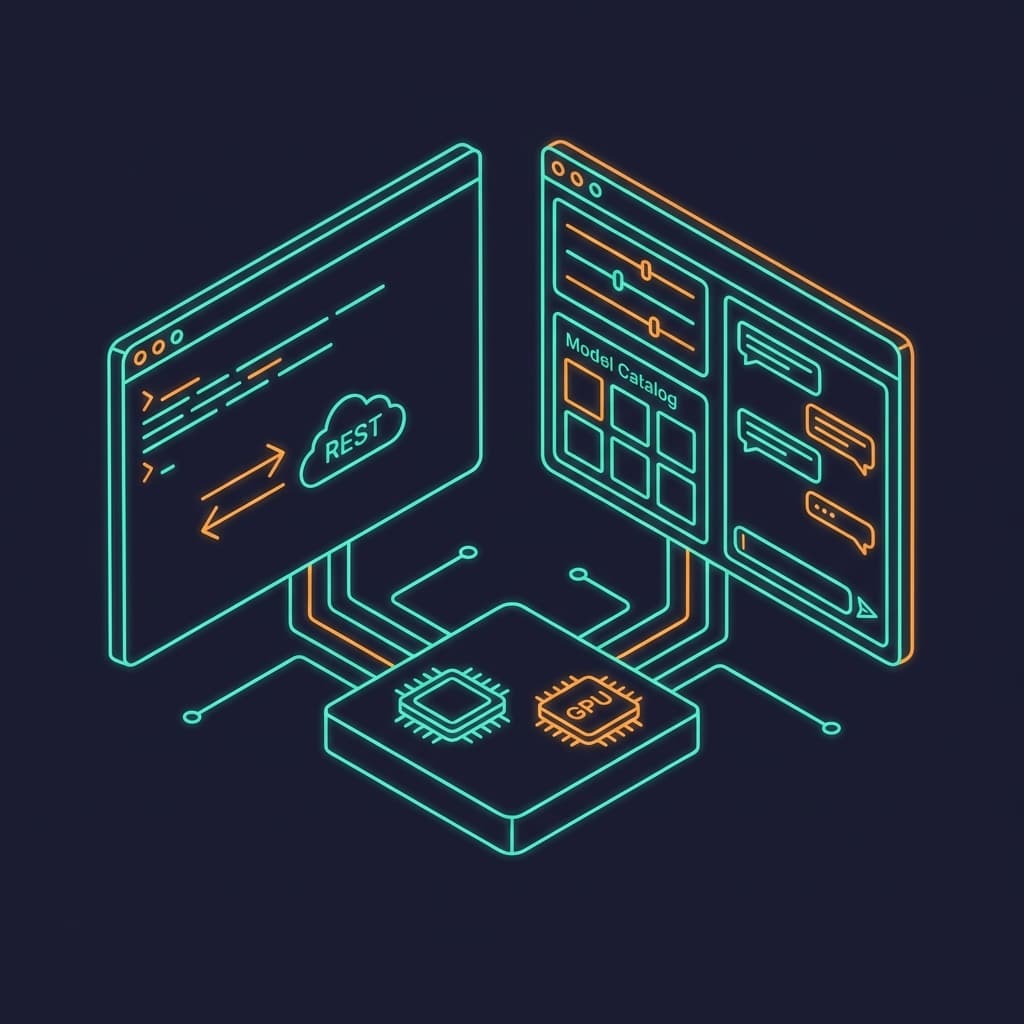
Quick Verdict: Ollama vs LM Studio
Ollama vs LM Studio in one sentence: pick Ollama (MIT-licensed Go daemon, 179K GitHub stars) to build applications, serve concurrent requests, and deploy in Docker; pick LM Studio (free closed-source desktop app) to browse models, chat, and get the fastest out-of-the-box Apple Silicon inference, where its MLX backend measured 102.2 tok/s against Ollama's 69.8 tok/s on the same Mac and model in an independent March 2026 benchmark.
Versions and facts on this page verified August 21, 2026: Ollama v0.32.15 (released August 19, 2026) and LM Studio 0.4.21 (released August 12, 2026).
Ollama is infrastructure. LM Studio is an application. If you are writing code that talks to a local model, deploying in Docker, or serving concurrent API requests, use Ollama. If you want to browse models, chat interactively, tweak parameters visually, and get the fastest Apple Silicon inference out of the box, use LM Studio. Many developers run both.
Feature Comparison: Ollama vs LM Studio
| Feature | Ollama | LM Studio |
|---|---|---|
| Interface | CLI + REST API (TUI added v0.17) | Electron desktop GUI |
| License | MIT (fully open source) | Closed source (free for all use) |
| Language | Go | TypeScript + C++ |
| Inference engine | llama.cpp + MLX engine (shipping in 0.32.x) | llama.cpp + MLX (default on macOS) |
| OpenAI-compatible API | Yes (always on, port 11434) | Yes (toggle on, port 1234) |
| Docker support | Official image, GPU passthrough | llmster preview (CPU only) |
| Concurrent requests | Yes (multi-threaded) | Single-threaded server |
| Multi-GPU | Yes (env var config) | Yes (tensor parallelism since 0.4.15, May 2026) |
| Model discovery | CLI: ollama search / ollama.com | Built-in catalog with previews |
| MCP support | Via third-party clients | Native (v0.3.17+) |
| Tool calling | API-level (streaming) | GUI + API with confirmation |
| Headless server | Native (ollama serve) | llmster daemon |
| Custom models | Modelfile (GGUF, Safetensors) | Import GGUF from files or Hub |
| Quantization | Built-in (Q4_0 through Q6_K) | Automatic on download |
| Cloud inference | Ollama Cloud (beta, Jan 2026) | LM Link via Tailscale (Feb 2026) |
| SDKs | Python, JavaScript, Go, Rust | Python, TypeScript |
Architecture: Go Daemon vs Electron App
The architectural split explains almost every difference between these tools. Ollama is a server process. LM Studio is a desktop application. Everything else follows from that.
Ollama: Client-Server Daemon
Written in Go. ollama serve starts an HTTP server on port 11434 that manages model lifecycles, GPU allocation, and request routing. The CLI is just one client. Your Python script, your Node.js app, and curl are also clients. The server stays alive as a background process or systemd service. This is the same pattern as Docker: a daemon that manages resources, with thin clients that talk to it.
LM Studio: Desktop Application
Built on Electron with a React frontend and C++ inference backend. The GUI handles model browsing, download management, chat history, and parameter tuning. The API server runs inside the application process. When you close LM Studio, the server stops. For headless use, LM Studio ships llmster, a separate daemon binary that runs without the GUI. This split happened because users wanted server-side deployment without the Electron overhead.
Why Architecture Matters
If you are embedding a local model into an application, you need the model server to start on boot, stay running, and handle requests from multiple processes. Ollama does this natively. LM Studio requires either keeping the app open or deploying llmster separately.
If you are exploring which model works best for a task, you want to browse options, adjust parameters, and compare outputs side by side. LM Studio does this natively. Ollama requires you to memorize model names or check ollama.com/library.
Model Support and Management
Both tools run GGUF-quantized models via llama.cpp. The difference is how you find and manage them.
Ollama: Docker-Style Model Management
Ollama borrows Docker's UX. ollama pull llama3 downloads a model. ollama run llama3 starts it. ollama ps shows running models. ollama rm removes one. The model library hosts 400+ models with tagged variants for different quantization levels. You can import any of the 45K+ GGUF models on Hugging Face with a single command.
Custom models use Modelfiles, which define a base model, system prompt, parameters, and optional adapters. You can import Safetensors for fine-tuned models and quantize them locally with ollama create -q Q4_K_M. Available quantization levels range from Q3_K_S (smallest, fastest) to Q6_K (largest, most accurate).
LM Studio: Visual Model Discovery
LM Studio shows a searchable catalog of 1,000+ preconfigured models. Each listing shows parameter count, quantization options, RAM requirements, and compatibility badges. Click to download. The app tracks which models you have installed, their disk usage, and recent activity. For developers, LM Studio also lets you drag-and-drop GGUF files or point to a Hugging Face repo.
On Apple Silicon, LM Studio defaults to MLX-format models when available. MLX models use Apple's unified memory more efficiently than GGUF, which is why LM Studio has a speed advantage on Macs. Ollama shipped its own MLX engine in 2026 and continues expanding it in the 0.32.x releases, but coverage is still per-model: independent testing on an M3 Max found the MLX path gains depend heavily on which model you run.
Performance on Apple Silicon
Apple Silicon is where these tools diverge most on raw speed, so this section sticks to published, independently run benchmarks with named hardware. LM Studio has used MLX since early 2025. Ollama stayed on llama.cpp until it began shipping its own MLX engine in 2026.
On a Mac Mini M4 Pro with 64 GB of unified memory, asiai.dev measured both tools on Qwen3-Coder-30B (MoE, Q4_K_M in Ollama, MLX 4-bit in LM Studio; temperature 0, one warmup run, model unloaded between engines, March 29, 2026):
| Metric | LM Studio (MLX) | Ollama (llama.cpp) |
|---|---|---|
| Generation throughput | 102.2 tok/s | 69.8 tok/s |
| Time to first token | 291 ms | 175 ms |
| Power efficiency | 8.2 tok/s per watt | 4.5 tok/s per watt |
LM Studio generated 46% more tokens per second in that test, and asiai.dev notes MoE architectures particularly favor its MLX path. Ollama won time to first token (175 ms vs 291 ms), which matters for short interactive exchanges. The throughput advantage comes from MLX's native use of unified memory, avoiding the CPU-GPU copy overhead that llama.cpp incurs.
A separate May 2026 test by zephel01 on a MacBook Pro M3 Max 64 GB running Qwen3.6-35B-A3B 4-bit measured raw mlx-lm (the engine LM Studio builds on) at 163 tok/s in chat workloads against 47-55 tok/s for Ollama's default llama.cpp path, roughly a 3x gap on that MoE model. The same author found Ollama's MLX engine (enabled with OLLAMA_MLX=1) is model-dependent: +65% on Qwen3.5-9B but only about +17% on the 35B MoE.
Ollama's MLX engine, announced in early 2026 with a claimed 1.6x faster prefill and nearly 2x faster decode over its llama.cpp path, now ships in the 0.32.x releases with active fixes (a recurrent MLX cache leak was patched in August 2026). Model coverage is still expanding, and measured gains vary by model, so check your specific model before assuming MLX-level speed from Ollama.
NVIDIA GPUs
On NVIDIA hardware, both tools use llama.cpp with CUDA. Performance differences are minimal. LM Studio 0.4.15 (May 2026) added tensor parallelism for splitting one model across multiple CUDA GPUs, closing an old gap. Ollama keeps the edge for concurrent request handling: if you are running a 70B model split across two RTX 4090s while serving five simultaneous users, Ollama is the only realistic choice, because LM Studio's server queues requests sequentially.
API Compatibility
Both tools expose OpenAI-compatible endpoints. If your code works with the OpenAI Python SDK, you change the base URL and it works with either tool.
Ollama API: Always On
The API server starts when Ollama starts. Port 11434 by default. Supports chat completions, embeddings, model management, and streaming tool calls. Handles concurrent requests across multiple models. Official SDKs in Python, JavaScript, Go, and Rust. The API is Ollama's primary interface; the CLI is a convenience wrapper around it.
LM Studio API: Toggle Server
Click 'Start Server' in the developer tab or run lms server start from the CLI. Port 1234 by default. Supports chat completions with tool calling, embeddings, and MCP server connections. SDKs in Python and TypeScript. The API is a feature of the app, not the core interface. When LM Studio closes, the server stops (unless using llmster).
The practical difference: Ollama's API is infrastructure you build on. LM Studio's API is a development convenience. If your application needs an always-available local endpoint that survives reboots, Ollama (as a system service) or llmster (LM Studio's headless daemon) are the options.
Docker and Production Deployment
This is where Ollama pulls away decisively.
Ollama: First-Class Docker Support
Ollama has an official Docker image with GPU passthrough for NVIDIA (via --gpus=all and NVIDIA Container Toolkit) and AMD (via ROCm). You can deploy it on any cloud provider, Kubernetes cluster, or CI/CD pipeline. Models persist across container restarts with volume mounts. Multi-GPU, concurrent requests, and health checks all work in containerized environments.
Run Ollama in Docker: CPU, NVIDIA, AMD, and Vulkan Commands
The official image is ollama/ollama on Docker Hub. Every variant mounts a named volume at /root/.ollama so pulled models survive restarts, and publishes the API on port 11434. These commands come from the Ollama Docker docs, checked October 16, 2026.
# CPU only
docker run -d -v ollama:/root/.ollama -p 11434:11434 --name ollama ollama/ollama

# NVIDIA GPU (install the NVIDIA Container Toolkit first)
sudo nvidia-ctk runtime configure --runtime=docker
sudo systemctl restart docker
docker run -d --gpus=all -v ollama:/root/.ollama -p 11434:11434 --name ollama ollama/ollama

# AMD GPU (ROCm tag)
docker run -d --device /dev/kfd --device /dev/dri -v ollama:/root/.ollama -p 11434:11434 --name ollama ollama/ollama:rocm

# Run a model inside the container
docker exec -it ollama ollama run llama3.2
Vulkan is bundled into the standard ollama/ollama image and turns on when the container can see the GPU devices. Set OLLAMA_VULKAN=0 to disable it, or GGML_VK_VISIBLE_DEVICES to pick devices. On NVIDIA JetPack systems, pass JETSON_JETPACK=5 or JETSON_JETPACK=6 because Ollama cannot detect the version inside the container. Inside Docker the server keeps Ollama's defaults: a 4,096-token context window unless you set OLLAMA_CONTEXT_LENGTH, one parallel request per model (OLLAMA_NUM_PARALLEL), and models unloaded after 5 minutes idle (OLLAMA_KEEP_ALIVE).
LM Studio: Early Docker, Strong Headless
LM Studio offers llmster, its headless daemon, which has a Docker image in preview. The catch: it is currently CPU-only on x86 systems. No GPU passthrough yet. For production GPU workloads, you would run llmster directly on the host with systemd rather than in Docker. LM Studio also introduced LM Link (February 2026) in partnership with Tailscale for encrypted remote access to models running on other machines, and built on it with Locally (v0.4.17, June 2026), an iPhone and iPad app that streams from your desktop models over LM Link. These are alternatives to traditional deployment for internal teams.
| Capability | Ollama | LM Studio |
|---|---|---|
| Docker with GPU | Yes (NVIDIA + AMD) | Preview (CPU only) |
| System service | Yes (systemd/launchd) | Yes (llmster + systemd) |
| Concurrent requests | Multi-threaded | Single-threaded |
| Kubernetes | Helm charts available | No official support |
| Cloud service | Ollama Cloud (beta) | LM Link via Tailscale |
| CI/CD integration | Standard Docker workflow | Limited (CPU-only Docker) |
MCP and Tool Calling
Model Context Protocol (MCP) lets models call external tools: web search, file operations, database queries, code execution. Tool calling support determines whether your local model can function as an agent.
Ollama: API-Level Tool Calling
Ollama supports tool calling via its API with streaming. You define tools in the request, and models that support function calling (Qwen, Llama, Mistral) return structured tool_calls in the response. MCP is not built into Ollama itself, but third-party MCP clients like mcp-client-for-ollama connect Ollama models to MCP servers. This works well for developers building custom agent loops.
LM Studio: Native MCP Client
LM Studio added MCP support in v0.3.17. You configure MCP servers in a JSON file or through the GUI. When a model calls a tool, LM Studio shows a confirmation dialog where you can review and edit arguments before execution. MCP servers run in isolated processes. This works both in the GUI chat and via the API, making LM Studio a turnkey MCP client out of the box.
If you want MCP with zero configuration, LM Studio is simpler. If you are building a custom agent pipeline and want full control over the tool calling loop, Ollama's API-level approach gives you that flexibility. Either way, the model itself needs to support function calling for any of this to work.
When Ollama Wins
Application Integration
Your app needs a local model endpoint. Ollama serves an always-on API that starts on boot, handles concurrent requests, and has SDKs in four languages. It is invisible infrastructure your application talks to, not an app you have to keep open.
Docker and CI/CD
You need local inference in a container. Ollama's Docker image supports NVIDIA and AMD GPU passthrough, volume-mounted model storage, and standard orchestration tooling. No other local LLM tool has Docker support this mature.
Multi-User Serving
Multiple users or processes hitting the same endpoint. Ollama's multi-threaded server handles parallel requests across loaded models. LM Studio's single-threaded server queues requests sequentially. For anything beyond single-user development, Ollama scales.
Open Source and Transparency
You need to audit the code, modify the inference pipeline, or contribute fixes. Ollama is MIT-licensed Go with an active contributor community. LM Studio's inference engine is proprietary. For security-sensitive environments that require code review, Ollama is the only option.
When LM Studio Wins
Model Exploration
You want to try ten models in an afternoon. LM Studio's catalog shows parameter counts, RAM requirements, and quantization options at a glance. Download, chat, compare, delete. No command memorization. No documentation lookups. Point and click.
Apple Silicon Performance
You are on a Mac and want the fastest local inference out of the box. In asiai.dev's March 2026 M4 Pro test, LM Studio's MLX backend generated 46% more tokens per second than Ollama's llama.cpp path (102.2 vs 69.8 tok/s on Qwen3-Coder-30B). Ollama's MLX engine is shipping but its gains are still model-dependent.
MCP Out of the Box
You want to connect local models to MCP tools without writing code. LM Studio has native MCP support with a GUI for server configuration, tool call confirmation dialogs, and isolated process management. Ollama requires a third-party MCP client.
Non-Technical Users
Someone on your team wants to use local AI without touching a terminal. LM Studio is a desktop app. Install it, pick a model, start chatting. The learning curve from 'download' to 'first response' is measured in minutes, not hours of documentation.
Frequently Asked Questions
Is Ollama or LM Studio better for running local LLMs in 2026?
Ollama is better for building applications, production deployments, Docker, and multi-user serving. LM Studio is better for model exploration, interactive chat, Apple Silicon speed, and MCP tool integration. Both expose OpenAI-compatible APIs and are free. Many developers use LM Studio to discover models and Ollama to deploy them.
Is Ollama faster than LM Studio?
On Apple Silicon, LM Studio is usually faster because it uses MLX by default. asiai.dev's March 2026 benchmark on a Mac Mini M4 Pro (64 GB) measured 102.2 tok/s (LM Studio) vs 69.8 tok/s (Ollama) on Qwen3-Coder-30B, though Ollama won time to first token (175 ms vs 291 ms). Ollama now ships its own MLX engine in the 0.32.x releases, with gains that vary by model. On NVIDIA GPUs, both use llama.cpp with CUDA and perform similarly.
Can I use Ollama and LM Studio together?
Yes. They serve APIs on different ports (Ollama on 11434, LM Studio on 1234) and can run simultaneously. A common workflow: browse and test models in LM Studio, then pull the ones you like into Ollama for application integration. Both import GGUF models from Hugging Face.
Does Ollama support Docker?
Yes. Ollama has an official Docker image with GPU passthrough for NVIDIA (via NVIDIA Container Toolkit and --gpus=all) and AMD (via ROCm). LM Studio's Docker image (llmster) is in preview and currently CPU-only. Start it with docker run -d -v ollama:/root/.ollama -p 11434:11434 --name ollama ollama/ollama, add --gpus=all for NVIDIA, or use the ollama/ollama:rocm tag for AMD.
Is LM Studio open source?
No. LM Studio's desktop application is closed source. Its CLI tool (lms) is open source. The application is free for personal and commercial use since July 2025. Ollama is fully open source under the MIT license.
Sources
- asiai.dev: Ollama vs LM Studio Apple Silicon benchmark (Mac Mini M4 Pro 64 GB, March 29, 2026)
- zephel01: mlx-lm / vllm-mlx / oMLX / Ollama / LM Studio comparison (MacBook Pro M3 Max 64 GB, May 2026)
- Ollama GitHub repository (stars, MIT license, v0.32.15 release, retrieved August 21, 2026)
- LM Studio changelog (0.4.21, tensor parallelism, Locally app)
- The New Stack: Ollama taps Apple's MLX framework
Related Comparisons
Build Faster with Any Local or Cloud Model
Morph's infrastructure works with any OpenAI-compatible endpoint, including Ollama and LM Studio. Use local models for development and cloud models for production, all through the same API.